Unlocking Web-Based Card Centering Tool Advantages: Why Online Centering Beats Manual Methods
Discover how web-based card centering tool advantages offer unparalleled speed and accuracy over manual methods, enhancing your card grading strategy.

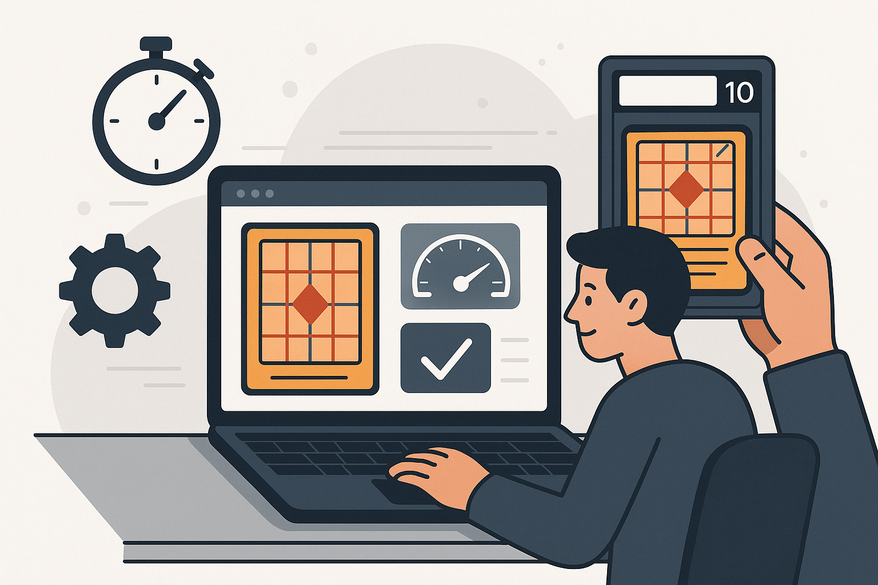
Estimated reading time: 5 minutes
Key Takeaways
- Speed & Efficiency: Receive centering ratios in seconds without manual overlays.
- Accuracy & Consistency: Digital edge-detection ensures repeatable, millimeter-level precision.
- Accessibility: Browser-based tools work on smartphones, tablets, and desktops—no special hardware needed.
- Cost Savings: Pre-screen low-centering cards to avoid unnecessary grading fees.
- Collaboration: Share images and results remotely with partners or buyers for joint decision-making.
Table of Contents
- Introduction
- Section 1: Understanding Web-Based Card Centering Tools
- Section 2: Detailed Advantages
- Section 3: Comparative Analysis
- Section 4: Real-World Use Cases & Testimonials
- Conclusion & Call to Action
- FAQ
Introduction
In today’s digital-first collecting world, speed and precision matter. Traditional plastic templates and ruler measurements, while familiar, can’t compete with the instant feedback of an online solution. A tool like Card Centering Tool leverages advanced algorithms to analyze your card photos and deliver centering scores down to the millimeter—helping you decide which cards merit expensive grading submissions.
Section 1: Understanding Web-Based Card Centering Tools
What they are and why they exist
- Web-based utilities let you upload a photo or screenshot of a trading or sports card and instantly receive border alignment ratios.
- They use digital edge-detection rather than physical overlays—no guesswork, just exact measurements.
- The core goal is to pre-screen under-centered cards so you don’t waste money on grading low-value submissions.
Section 2: Detailed Advantages
2.1 Ease of Access & Real-Time Updates
- Access anywhere: No physical templates; just a browser or mobile device.
- Instant updates: Cloud-deployed algorithm and UI improvements require zero downloads.
2.2 Enhanced User-Friendliness & Intuitive Interfaces
- 4-step workflow: Photo → upload → adjust markers → view results.
- On-page guidance for glare reduction, straight-on shots, and border clarity.
- Integrated tutorials let beginners learn best practices without steep learning curves.
2.3 Improved Efficiency & Accuracy
- Batch checking: Analyze dozens of cards in one session to speed up your grading decisions.
- Consistent metrics: Algorithmic precision beats human eyeballing every time.
- Photo quality reminder: Ensure no glare and a level camera angle for best results.
2.4 Cost-Effectiveness & Reduced Infrastructure Needs
- No extra hardware beyond the devices you already own.
- Many hobby platforms offer free or low-cost access alongside collection management features.
- Save on grading fees by pre-screening—learn more about cutting grading costs.
2.5 Collaboration & Remote Accessibility
- Share images and centering reports with consignment partners or buyers in real time.
- Support cross-device workflows: snap on your phone, review on desktop.
- Ideal for live demos by influencers or shared grading sessions.
Section 3: Comparative Analysis: Web-Based vs. Offline Tools
- Device: Any browser-capable gadget vs. bulky plastic templates.
- Input: Digital upload vs. manual overlay and ruler placement.
- Speed: Instant automated ratios vs. time-consuming manual measurement.
- Updates: Continuous online enhancements vs. static physical tools.
- Portability: Always in your pocket vs. carrying dedicated gear.
- Accuracy: Algorithmic repeatability vs. user skill variability.
- Collaboration: Effortless sharing vs. solo, in-person use.
Section 4: Real-World Use Cases & Testimonials
Use Case 1: Pre-Grading Sports Card Collections
Sort your collection visually, upload key cards, and apply a centering threshold (e.g., 60/40) before sending for PSA or BGS grading.
Use Case 2: Trading Card (Pokémon) Grading Strategy
Run comparative tests across multiple online centering calculators to identify which tool aligns best with final grade outcomes.
Use Case 3: Mobile-First Centering Checks
Capture a photo on your phone, upload in-browser, and get near-instant results in a seamless mobile workflow.
Testimonial Themes
- Confidence boost: Online estimates often mirror official PSA centering grades.
- Convenience: No repeated handling—perfect for high-value or delicate cards.
- Educational: On-screen guides help newcomers grasp industry centering standards.
Conclusion & Call to Action: Grading Strategy
Web-based card centering tools offer unmatched speed, accuracy, and cost savings. Begin by testing multiple online calculators on the same cards, track how their centering estimates align with your final grades, and adopt the tool that fits your workflow best. Explore free or low-cost options today and watch your grading ROI skyrocket.
FAQ
Q: What exactly is a web-based card centering tool?
A: It’s an online application that analyzes your card photo to measure border alignment and provide centering ratios instantly.
Q: How accurate are these tools compared to manual methods?
A: Digital edge-detection algorithms deliver millimeter-level precision and repeatable results, reducing human error.
Q: Do I need special equipment or software?
A: No—just a camera-enabled device and a modern web browser. No additional hardware or downloads required.
Q: Can these tools really save me money?
A: Absolutely. By pre-screening cards and avoiding submissions with poor centering, you cut down on grading fees and boost ROI.
Q: How do I get started?
A: Head to Card Centering Tool, upload a test card, and see instant centering analytics. Then integrate your preferred online calculator into your grading workflow.
Free to start
Try the Midpoint app
Grade any card from a photo, see its raw and PSA 10 value, and track what your collection is worth — free.
Get it on iPhoneGet it on Android