Mobile Card Centering App Comparison: Comprehensive Guide to Choosing the Best Solution
Explore the best mobile card centering app solutions to enhance payment card capture accuracy, usability, and security while boosting conversion rates.

12 min read
Key Takeaways
- Mobile card centering improves user experience by automatically detecting and framing payment cards for faster checkout.
- Key evaluation criteria include UX, centering accuracy, performance, security, and pricing.
- Leading SDKs offer varied support, from budget-friendly options to enterprise-grade suites.
- Choose based on your use case—e-commerce, fintech onboarding, field sales, or startups—and pilot multiple providers.
- Follow best practices: test on real devices, measure metrics, and verify PCI compliance.
Table of Contents
- Overview of Mobile Card Centering Apps
- Features and Comparison Criteria
- Detailed Comparative Analysis
- Use Case Scenarios
- Expert Tips and Recommendations
- Conclusion
- FAQ
Overview of Mobile Card Centering Apps
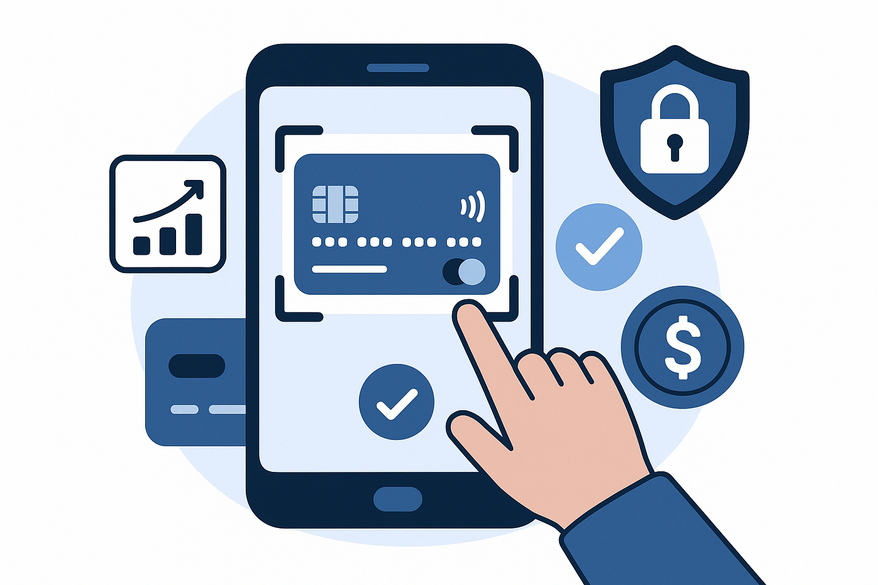
Mobile card centering apps use the device camera plus computer vision to detect card edges and contours, guiding users through an on-screen frame for precise alignment before auto-capture. Once centered, these solutions parse the PAN, expiry date, cardholder name, and BIN metadata via OCR, feeding the data directly into payment flows or KYC processes.
- Use device camera plus computer vision for framing and capture (Computer Vision Card Detection).
- Guide users with an on-screen frame or outline for precise alignment.
- Auto-capture and parse PAN, expiry, name, and BIN metadata through OCR.
- Feed extracted data into payments, digital wallets, or identity verification pipelines.
Why centering matters:
- User experience: Good centering reduces retries and manual entry, cutting drop-off rates and frustration (UX Planet).
- Transaction success: Accurate capture lowers declines, reduces support tickets, and improves revenue (Transaction Success Study).
- Accessibility: Reliable capture in low light and on budget devices enhances inclusion (Accessibility Research).
Evolution of the technology:
- Manual entry era: Early apps required users to type card data by hand.
- First-gen edge detection: Basic CV found borders but struggled in varied conditions.
- Modern ML-based OCR: On-device AI models deliver faster, more accurate detection with privacy.
- Native integration: SDKs now plug into Apple Pay and Google Pay or embed in custom forms (ML OCR Evolution).
Mobile Card Centering Features and Comparison Criteria
Below are essential features, technical qualities, and commercial aspects to evaluate for card centering accuracy.
Essential Feature Criteria
- Ease of use (UX): Clear visual frame, real-time feedback, and auto-capture without tapping (Stripe Mobile Card Scanning UX).
- Accuracy of centering & recognition: Robust edge detection in varied lighting/backgrounds; glare and tilt tolerance (ArXiv ML OCR Study).
- Supported devices & OS: Native support for iOS 13+ and Android 7+; consistent performance on low-end devices; cross-platform via React Native or Flutter (Android Developer Docs).
- Integration options: Native SDKs versus low-level APIs; web support via WebAssembly (SDK Integration Guide).
Technical Aspects
- Performance: Capture time under 2–3 seconds; smooth preview at 30+ FPS; prefer on-device processing (Google AI).
- Reliability: Stability under low light, motion blur, busy backgrounds; offline mode (Reliability Study).
- Security & Compliance: In-memory data handling, tokenization support, PCI DSS alignment, automatic redaction post-extraction (PCI Security Standards).
For an in-depth look at AI-powered centering algorithms, check out our guide to AI card centering technology.
Commercial & Support Aspects
- Pricing models: Free tiers, usage-based per scan or MAU, enterprise plans with SLAs, add-ons like BIN lookup or fraud checks.
- Platform availability: Standalone apps vs. B2B SDK subscriptions with developer portals.
- Customer support & documentation: Guides, code samples, quick-start tutorials, dedicated Slack or email channels, frequency of SDK updates.
Detailed Comparative Analysis
Below is a side-by-side comparison of representative mobile card centering solutions.
| App/SDK | Core Focus | UX Rating | Accuracy & Speed | Platforms | Security Features | Pricing Model | Support Quality |
|---|---|---|---|---|---|---|---|
| ScanPay Center | In-app payment capture | Very High | Very High | iOS, Android | On-device OCR; PCI-aligned token flow | Usage-based per scan | Email + SLA |
| WalletScan Pro | Wallet provisioning | High | High | iOS, Android | Server-tokenization; no image storage | Tiered monthly plans | Dedicated CSM |
| LiteCard Capture | Budget card scanning for SMEs | Medium | Medium | Android only | Basic AES encryption | Flat low monthly fee | Email only |
| OmniVision PayKit | Enterprise payment suite | High | Very High | iOS, Android | Advanced compliance logs; audit trail | Custom enterprise quote | Premium 24/7 support |
Strengths & Weaknesses
ScanPay Center
- Strengths: Best UX with intuitive outlines and auto-capture; on-device OCR reduces latency and enhances privacy.
- Weaknesses: Higher cost at scale; advanced BIN and metadata require paid add-ons.
WalletScan Pro
- Strengths: Seamless integration with Apple Pay/Google Pay; robust tokenization keeps raw PAN off your servers.
- Weaknesses: Limited UI customization; wallet-only focus may not suit custom checkout forms.
LiteCard Capture
- Strengths: Very affordable for startups; straightforward setup for basic scan-instead-of-type flows.
- Weaknesses: Android-only with patchy performance on older devices; accuracy drops in low light or patterned cards.
OmniVision PayKit
- Strengths: Full enterprise suite with fraud analytics and audit logging; strong compliance certifications.
- Weaknesses: Complex integration and custom contract needed; steep learning curve for small teams.
User Reviews & Expert Opinions
- App Store feedback often notes occasional crashes on mid-range models and users struggling to fit cards in overlays.
- Developer forums reveal hidden overage fees in entry-level plans.
- Case studies report a 25% uplift in checkout conversion and a 40% drop in support tickets after integrating a high-accuracy SDK (Case Study).
Use Case Scenarios
Tailor your mobile card centering choice to specific scenarios.
Scenario 1: E-commerce Consumer Checkout
- Priority: Speed and smooth UX to reduce cart abandonment.
- Needs: Fast framing, flawless multi-device support, seamless gateway integration.
- Recommended: Premium UX-focused SDK with proven conversion uplift.
Scenario 2: Mobile Banking / Fintech Onboarding
- Priority: Security, compliance, and consistent branding.
- Needs: On-device processing, strong encryption, KYC/AML tie-ins.
- Recommended: Enterprise-grade SDK with compliance docs and SLAs.
Scenario 3: In-Store Assisted Checkout / Field Sales
- Priority: Reliability on mid-range devices, offline mode.
- Needs: Robust performance under varied lighting, minimal network reliance.
- Recommended: SDK advertising offline capture and wide hardware compatibility.
Scenario 4: Small Business or Startup
- Priority: Low cost and easy integration.
- Needs: Simple SDK, basic centering and OCR.
- Recommended: Budget-friendly or free-tier solutions for MVP testing.
Expert Tips and Recommendations
Best Practices:
- Start from your primary metric: focus on conversion speed for retail apps or security compliance for financial services.
- Test on real devices and cards under multiple lighting conditions; build a test matrix covering daylight, indoor, and low-light scenarios.
- Run A/B tests comparing scan flow versus manual entry; measure completion rates, time-to-checkout, and error-rate improvements.
- Verify security posture: request PCI DSS alignment statements, review data-handling docs, and confirm in-memory redaction of card images.
- Assess maintainability: examine release notes, OS update responsiveness, SDK size impact on app bundle, and roadmap transparency.
Recommendations by Use Case
- High-volume consumer apps: invest in premium UX and accuracy; cost is offset by higher conversion.
- Regulated industries: select providers with formal compliance and deep integration support.
- SMBs/MVPs: start with cost-effective, easy-to-integrate SDKs and upgrade as needs grow.
- Cross-platform products: choose vendors offering consistent features on both iOS and Android plus React Native or Flutter bridges.
Conclusion
Choosing the right mobile card centering solution is key to optimizing user experience, transaction success, and brand perception. This comparison covered ease of use, centering accuracy, performance, device support, security, pricing, and support.
Next steps: shortlist 2–4 providers, run time-boxed pilots in staging, and collect quantitative metrics (conversion rate, error rate, time-to-checkout) along with qualitative feedback.
Call to Action: Sign up for free trials of top SDKs, explore PCI compliance guides, and review detailed SDK integration tutorials to begin improving your payment flows today.
If you’re a trading card collector looking to measure how well-centered your cards are before paying grading fees, try Card Centering Tool for precise, automated centering measurements and grading tolerance checks.
FAQ
What is mobile card centering and why is it important?
Mobile card centering uses computer vision and OCR to frame and capture payment card details automatically, reducing manual entry, errors, and checkout friction.
Which evaluation criteria matter most?
Focus on UX, centering accuracy, performance (speed & reliability), security, platform support, and pricing to find the best fit for your project.
How do I choose the right SDK for my use case?
Assess your priorities—whether speed, security, offline support, or cost—then pilot 2–4 providers and measure real-world metrics like conversion uplift and error reduction.
Are these solutions PCI DSS compliant?
Many SDKs offer in-memory data handling, tokenization, and redaction to align with PCI DSS; always request compliance docs and security summaries from vendors.
What is the typical cost structure?
Options range from free tiers and per-scan pricing to enterprise plans with volume discounts. Evaluate based on your expected scan volume and feature needs.
Free to start
Try the Midpoint app
Grade any card from a photo, see its raw and PSA 10 value, and track what your collection is worth — free.
Get it on iPhoneGet it on Android