Best Card Centering App to Measure Accurate Trading Card Grading
Discover the top card centering app ratings with comprehensive reviews. Find the best tools for accurate centering to enhance your hobby and grading outcomes.

Estimated reading time: 8 minutes
Key Takeaways
- Best card centering apps combine AI and manual guides to measure centering ratios, a crucial factor for grading outcomes and resale value.
- Card Centering Calculator is our top pick for moderate to high-volume graders seeking multi-company standards.
- Gradeon stands out on iOS for pixel-level precision and grader recommendations.
- Card Centering Pro offers robust Android support with added card condition analysis.
- Choosing the right centering app requires considering pricing, device compatibility, update frequency, and data privacy.
Table of Contents
- Overview of Card Centering Tools
- Detailed Reviews and Ratings
- Comparison of Card Centering Apps
- Additional Considerations
- Conclusion & Recommendation
- FAQ
Section I: Overview of Card Centering Tools
What Card Centering Apps Are
- Scan or upload an image of your trading card (front and back).
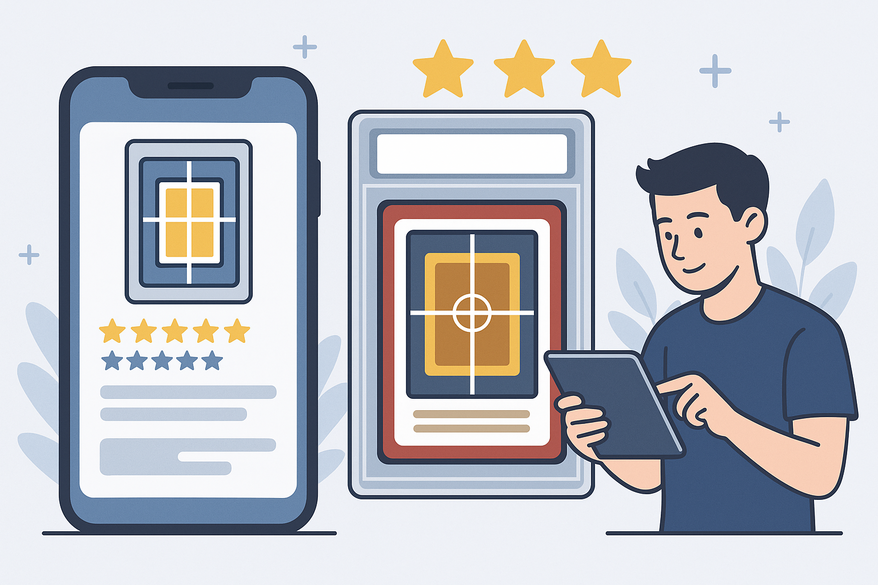
- Automatically detect card borders using AI or manually adjust with drag-and-drop guides.
- Calculate precise centering percentages (left-right and top-bottom ratios).
- Compare measurements against grading-company standards such as PSA, BGS, CGC, SGC, TAG, and ACE.
If you're searching for the best card centering app or a reliable card centering app to accurately measure centering ratios and improve your grading preparation, these tools are essential. Using a centering app provides one of the fastest and most precise methods to verify if your trading card meets the strict centering standards required by professional graders. This helps you avoid costly grading submission errors and maximize your card's resale value. The best card centering apps serve collectors of Pokémon, Magic: The Gathering, Yu-Gi-Oh, Lorcana, sports cards, and more by combining AI-powered detection with manual adjustments for precise centering measurements aligned with PSA, BGS, and CGC grading criteria. For a deeper understanding of how centering impacts your card's grade, see our definitive guide for grading and collectors.
Centering Ratios and Their Impact
A perfect 50/50 centering ratio is ideal; a 55/45 ratio is still acceptable, but beyond 60/40 can cost you a subgrade point or more. Grading services publish centering cutoffs in their official guidelines. For a full comparison of PSA, BGS, and CGC centering tolerances, check out our centering tolerances resource.
Market Landscape
- Card Centering Calculator (iOS & Android)
- Gradeon (Card Centering & Grading Tool – iOS)
- Card Centering Pro (Android)
- AI graders (e.g., Hobby Scan via video review)
Rating Criteria Explained
- Usability & Interface
- Accuracy & Reliability
- Feature Set
- Customer Satisfaction
- Pricing & Limits
Section II: Detailed Reviews and Ratings of Popular Card Centering Apps
1. Card Centering Calculator
Platforms & Ratings
iOS: 4.7/5 (1.9K+ ratings)
Android: ~4.2/5 (Google Play)
Key Features
- AI Border Detection
- Manual Guide Placement
- Multi-Company Standards
- Front & Back Analysis
- Visualization Tools
- Advanced Settings
Pros
- High user satisfaction with over 1.9K App Store reviews.
- Effective pre-grading tool—users report improved PSA 10 yield.
- Balanced AI speed with manual precision controls.
Cons
- Sensitive to card alignment and lighting conditions.
- Free tier limits daily scans, encouraging upgrades.
- New users may experience a learning curve for precise guide placement.
Expert Summary
Best overall choice for moderate to high-volume graders who want robust standards reference and centering accuracy. Many collectors find this the best card centering app for consistent pre-grading results. To learn how card condition affects grading, see our complete guide to grading, inspection, and value.
References
App Store listing for Card Centering Calculator
Google Play listing for Card Centering Calculator
2. Card Centering & Grading Tool (Gradeon)
Platform & Rating
iOS: 4.3/5 (8 ratings)
Key Features
- AI-Powered Scanning
- Zoom & Manual Precision
- Grading-Company Insights
- Front & Back Assessment
Pros
- Zoom feature enhances manual accuracy.
- Unique grader recommendation engine adds value.
Cons
- Smaller rating base affects statistical robustness.
- Some early-version bugs reported.
Expert Summary
Ideal for detail-oriented iOS users who prioritize pixel-level manual control and grader suggestions. A great centering app for precision enthusiasts.
References
App Store listing for Gradeon
3. Card Centering Pro
Platform & Rating
Android: ~4.3/5 (Google Play)
Key Features
- Image Detection
- Condition Evaluation
- Step-By-Step Workflow
Pros
- Popular Android choice.
- Includes condition analysis beyond centering.
Cons
- No native zoom; users rely on device magnifier.
- Free tier limits to about 5 cards per day.
Expert Summary
Strong Android option for casual to moderate graders willing to pay for unlimited scans. Covers overall card condition in addition to centering. Learn more in our complete guide for Pokemon, sports, and more.
References
Google Play listing for Card Centering Pro
4. Hobby Scan & Similar AI Grader Overviews
Type: Video-reviewed AI grading apps with centering as one component.
Key Observations
- Sometimes misreads off-center cards as perfectly centered.
- Provides overall numeric grades instead of detailed centering ratios.
Expert Note
Useful for broad pre-grading but less reliable for precise centering measurement. Best for quick checks, not detailed analysis.
References
YouTube overview of AI graders
Section III: Comparison of Card Centering Apps
Quick Comparison at a Glance:
- Card Centering Calculator (iOS: 4.7/5; Android: ~4.2/5) – AI plus manual guides, multi-company standards; best for moderate/high-volume graders.
- Gradeon (iOS: 4.3/5) – zoomed manual guides and grader recommendations; ideal for precision-focused iOS users.
- Card Centering Pro (Android: ~4.3/5) – includes condition analysis; good for casual/moderate Android graders.
Performance & Accuracy
Card Centering Calculator and Pro use robust AI image detection that closely matches human grader assessments when configured properly. Gradeon shows promising accuracy, though its smaller review base means less reliability data. For the best centering accuracy, ensure proper card alignment and lighting. Using a centering app that combines AI and manual controls offers the best chance to match professional grading standards. Many users report better grades and increased collection value by using these apps.
UI & Ease-of-Use
- Card Centering Calculator: clean interface with guided workflow.
- Gradeon: standout zoom feature for precise manual alignment.
- Card Centering Pro: solid but lacks zoom, which affects ease.
Feature Gaps
- Only Card Centering Calculator supports full PSA/BGS/CGC/SGC/TAG/ACE overlays.
- Gradeon uniquely recommends specific grader services.
- Card Centering Pro offers condition analysis beyond centering.
User Types & Best Fits
- New collectors: Card Centering Calculator for free tier and standards library.
- High-volume graders: Calculator premium or Pro paid plans.
- Precision enthusiasts: Gradeon for zoom-aided manual control.
Section IV: Additional Considerations When Choosing a Card Centering App
Price & Free Tier Limits
- Check daily scan limits (e.g., 5 cards/day).
- Compare subscription versus one-time purchase models.
- Estimate your monthly pre-grading volume.
Customer Support & Update Frequency
- Choose apps with recent updates and responsive developers.
- Review developer responses in app reviews.
Device Compatibility & Performance
- AI centering algorithms may require newer CPUs.
- Tablet support can ease guide placement.
- Ensure your OS version meets app requirements.
Data Privacy & Image Storage
- Confirm whether images are stored locally or in the cloud.
- Review privacy policies carefully, especially for high-value card images.
How to Interpret App Ratings
- Sort reviews by most recent and most critical.
- Match star ratings to your volume and accuracy needs.
- Watch for rating changes after major updates.
Section V: Conclusion & Recommendation
Key Insights
- Card Centering Calculator leads with high ratings, broad features, and multi-company standard support.
- Gradeon excels on iOS for zoom-aided manual precision and grader recommendations.
- Card Centering Pro is a solid Android choice if you accept daily limits or subscribe.
Recommendation Flow
- Start free with Card Centering Calculator to evaluate workflow and limits.
- On iOS, try Gradeon if you want pixel-level control and grader advice.
- On Android, compare Calculator and Pro based on zoom, limits, and condition analysis.
Best Choice
Consider ratings, user reviews, and personal testing to select the best card centering app for your grading goals and device. For most collectors, the best card centering app is the one that fits your needs and device best.
Call to Action
- Share your pre-grading versus PSA/BGS/CGC results in comments to help improve community insights.
- Explore further resources:
FAQ
What is the best card centering app for trading card grading?
The best card centering app depends on your device and grading needs. Card Centering Calculator is the top overall choice for its multi-company standards, AI accuracy, and user-friendly interface. Gradeon is ideal for iOS users seeking pixel-level manual precision, while Card Centering Pro is a strong Android option that includes condition analysis.
How does a card centering app improve grading accuracy?
Card centering apps measure the exact centering ratios of your card’s borders using AI and manual guides. This helps you verify if your card meets the strict centering requirements of PSA, BGS, CGC, and other grading services before submission, reducing the risk of unexpected grade reductions due to off-centering.
Are card centering apps free to use?
Most card centering apps offer free tiers with daily scan limits, such as 5 cards per day. To access unlimited scans or advanced features like multi-company overlays and condition analysis, you may need to subscribe or purchase premium versions.
Can I use a card centering app for all types of trading cards?
Yes. The best card centering apps support a wide range of trading cards including Pokémon, Magic: The Gathering, Yu-Gi-Oh, Lorcana, and all major sports cards like baseball, basketball, football, hockey, and soccer.
How accurate are card centering apps compared to professional graders?
When used with proper lighting and card alignment, top card centering apps closely match the centering assessments of professional graders. However, they should be used as a pre-grading tool rather than a definitive grade. Combining AI detection with manual adjustments yields the most reliable results.