Ultimate Card Centering Tool Review: Find the Best Pre-Grading Aid for PSA, BGS & CGC Submissions
Explore top card centering tools for PSA, BGS, and CGC submissions. Save on grading fees with precise measurements and optimal pre-grading decisions.

Estimated reading time: 10 minutes
Key Takeaways
- Centering is critical: Off-center prints can drop a card’s grade even with perfect corners and surface.
- Tool types: Physical overlays offer quick visual checks; digital analyzers deliver precise percentages without card contact.
- Top pick: The CardGrade.io Digital Centering Tool provides exact ratios from photos, ideal for high-value and online listings.
- Budget options: Overlays like Legends Card Center Grading Tool and PSA-Style Overlay are cost-effective for pre-grading bulk or raw cards.
Table of Contents
- What Are Card Centering Tools?
- Key Features & Evaluation Criteria
- In-Depth Reviews of Popular Card Centering Tools
- Comparative Analysis
- User Testimonials & Expert Opinions
- Final Thoughts & Recommendations
- Conclusion & Call to Action
- FAQ
What Are Card Centering Tools?
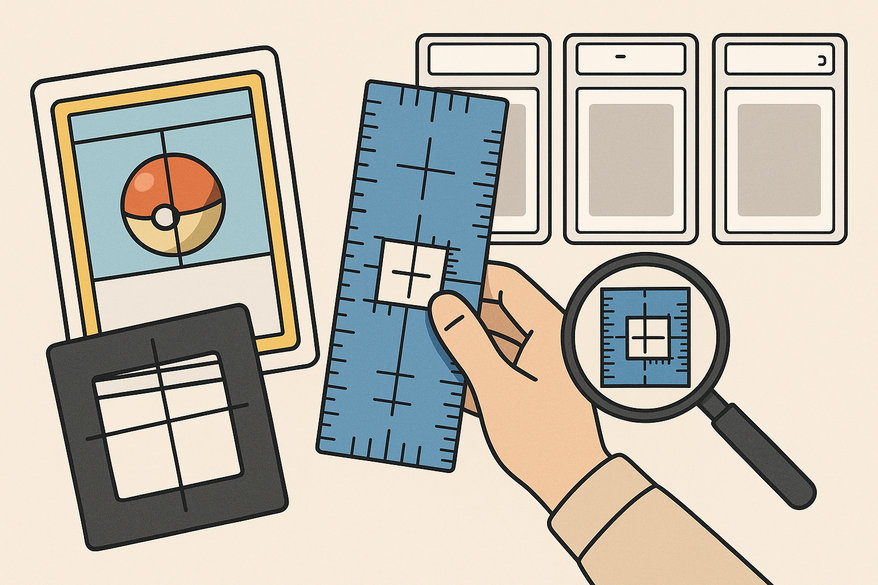
Card centering tools are measurement aids—either physical overlays or digital analyzers—that determine left/right and top/bottom border widths to show how far a card’s art is offset. Centering is often the #1 grade-limiting factor: a card with perfect corners and surface can still drop a full grade if its image is off-center.
Common use cases include:
- Collectors vetting raw cards before grading
- Sellers listing accurate centering in online storefronts
- Buyers evaluating card photos for purchase decisions
- Pre-graders ensuring consistent centering checks
Centering ratios:
- 50/50: perfectly centered
- 55/45, 60/40: common grading cutoffs (PSA allows up to 60/40 front for PSA 10)
- 70/30 or worse: likely to drop multiple grades
Grading companies use the worst-direction rule: a card with 60/40 L/R and 55/45 T/B is graded on the 60/40 ratio. By standardizing measurement, these tools help you avoid guesswork and match grading standards precisely. For a detailed step-by-step guide, see the step-by-step guide on measuring card centering. Learn about PSA 10 centering requirements. If you want to understand the nuances of card grading centering standards across PSA, BGS, CGC, SGC, and TAG, check out our comprehensive comparison.
Key Features & Evaluation Criteria
- Design & Clarity: Transparent vs. opaque overlay; legible lines, numbers, ratio scales; fits standard card sizes.
- Usability: Ease of alignment; learning curve; speed for bulk use; quality of instructions (printed/video).
- Durability: Material quality (acrylic, plastic, laminated card); resistance to scratches, warping, ink fade; longevity.
- Ease of Setup & Handling: “Place and read” vs. multi-step; risk of scratching or bending; need for extra tools.
- Accuracy & Precision: Granularity of measurement; repeatability; ability to flag borderline cases.
- Price & Value: One-time purchase vs. subscription; cost per use relative to grading fee savings.
- Support & Extras: Reference charts; downloadable guides; video tutorials; warranty and customer service.
In-Depth Reviews of Popular Card Centering Tools
Legends Card Center Grading Tool (Physical Overlay)
Description: A clear plastic overlay with printed lines and a ratio chart. Align your card behind the overlay and read the line numbers to map to percentages.
Step-by-Step Use:
- Remove protective film on overlay
- Place card behind overlay, align thickest border to the printed zero line
- Read left/right or top/bottom line numbers (e.g., “3” vs “2”)
- Consult the printed chart: 3:2 equates to roughly 60/40 centering
Pros:
- Beginner-friendly—no math required
- Dual-direction measurement for full centering checks
- Clear visual feedback with red/green zones
- Low cost vs. grading fee savings
Cons: Manual alignment can introduce small errors; limited granularity; risk of scratching cards.
Ideal User: Collectors pre-grading raw cards for PSA, BGS or CGC submissions
Link: Legends tool demo video
PSA-Style Card Centering Tool (Third-Party Overlay)
Description: Transparent ruler mimicking PSA centering standards with printed instructions to measure both directions and use the worst.
Pros: Mirrors PSA methodology; built-in worst-side rule; clear instructions.
Cons: Not PSA-endorsed; requires interpolation for borderline alignments; manual handling risks.
Ideal User: PSA submitters wanting alignment with PSA criteria
Link: Graded Cards Australia review
THE CENTER TOOL (Physical Alignment Overlay)
Description: Plastic overlay with solid/dotted lines and colored zones for quick visual checks.
Pros: Highly visual; rapid bulk scanning; works with any standard-size card.
Cons: Less precise numeric output; relies on user’s eye; careful handling needed.
Ideal User: Bulk screeners needing quick pass/fail centering checks
Link: THE CENTER TOOL review
CardGrade.io Digital Centering Tool (Web-Based Analyzer)
Description: Photo-based analyzer where you upload a card image and receive exact centering ratios (e.g., 56/44, 61/39).
Step-by-Step Use: Photograph card under even light, upload at CardGrade.io tools, and review output percentages.
Pros: High precision; zero card contact; works on online listings; educational output.
Cons: Dependent on photo quality; requires internet; slower workflow for high-volume pre-grading.
Ideal User: Online buyers/sellers and collectors of high-value cards
Comparative Analysis
Feature comparison at a glance:
- Type: Physical vs. Digital
- Measurement Style: Ratio scales, visual zones, photo analysis
- Precision Level: Visual pass/fail up to exact percentages
- Bulk-use Speed: Very fast (overlays) vs. moderate (digital)
- Risk to Card: None (photo) to low-medium (overlays)
- Best For: Casual collectors, PSA submitters, bulk screeners, online traders
See detailed tolerance comparisons. For a broader understanding of how PSA, BGS, CGC, and SGC grades compare, our in-depth guide breaks down the differences. To deepen your knowledge on grading overall, check out our Card Grading: How It Works, What to Know, and When It's Worth It article.
User Testimonials & Expert Opinions
- Legends Tool: “Helps decide if a card is worth sending in” – YouTube user CardSense
- PSA-Style Overlay: “Measure both directions, use worst” – SportsCollectorsForum.com
- THE CENTER TOOL: “Rapid visual screening for bulk lots” – BulkCardReview
- CardGrade.io: “Precise percentages from any listing photo” – CardGrade blog
Consensus: Any standardized tool beats eyeballing. Verifying centering first saves grading fees and disappointment. For more on card condition and grading, see our Card Condition: The Complete Guide to Grading, Inspection, and Value.
Final Thoughts & Recommendations
- Beginners/Casual Collectors → Legends Card Center Grading Tool
- PSA Submitters → PSA-Style Centering Overlay
- Bulk Screeners → THE CENTER TOOL
- Online Buyers/Sellers & High-Value Cards → CardGrade.io Digital Tool
Consider workflow (bulk vs. photo), needed precision, card safety, and budget. Physical tools are one-time purchases; digital tools excel on listings and high-value singles. If you are interested in collecting strategies, our Sports Card Collecting: The Ultimate Guide for Modern & Vintage Collectors offers valuable insights.
Conclusion & Call to Action
Using a reliable card centering tool transforms your pre-grading decisions, cuts grading costs, and boosts confidence in buying and selling. Which tool do you use? How did its readings match your PSA/BGS/CGC grades? Share your experiences and questions in the comments below!
FAQ
- What centering ratio does PSA require for a PSA 10?
- PSA allows up to 60/40 front centering for a PSA 10; the worst-direction rule applies.
- Are digital tools more accurate than physical overlays?
- Digital analyzers provide exact percentages with zero card contact, but depend on photo quality and lighting.
- How much can I save on grading fees?
- Accurate centering checks can prevent multiple-grade drops, saving tens to hundreds of dollars in grading fees.
- Can I use these tools on sleeved cards?
- Physical overlays work best out of sleeves; digital tools analyze photos of sleeved cards if the image is clear.
- Do these tools work for non-standard card sizes?
- Most overlays fit standard TCG and sports cards; digital analyzers accommodate any size if the photo crop is accurate.
Free to start
Try the Midpoint app
Grade any card from a photo, see its raw and PSA 10 value, and track what your collection is worth — free.
Get it on iPhoneGet it on Android