Card Centering Analyzer Tutorial: Step-by-Step User Guide
Learn how to use a card centering analyzer to measure border alignment, predict grades, and avoid costly off-center submissions with this tutorial.

Estimated reading time: 10 minutes
Key Takeaways
- Why centering matters for grading companies like PSA, BGS, CGC and more
- How to use a card centering analyzer from setup to analysis
- Advanced tips to customize settings and batch process your collection
- Answers to common centering and grading questions
Table of Contents
- 1. Card Centering Analyzer and Calculator Overview
- 2. Getting Started with Your Card Centering Analyzer
- 3. Detailed Tutorial on Using the Card Centering Analyzer
- 4. Advanced Tips and Techniques for the Card Centering Analyzer
- 5. Conclusion: Card Centering Analyzer Tutorial Recap
- 6. Call to Action: Engage with Our Card Centering Analyzer Tutorial
1. Card Centering Analyzer and Calculator Overview
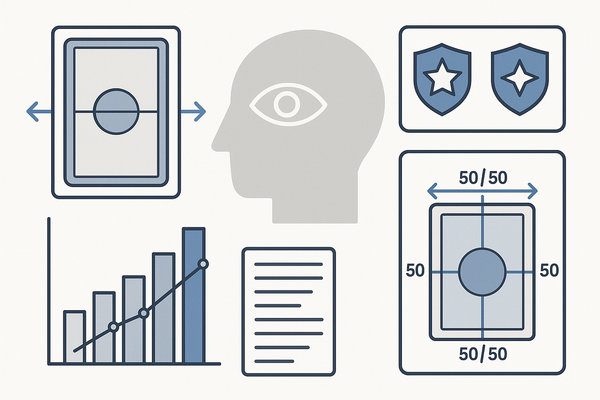
Ever found yourself wondering if that 60/40 ratio will hold up at submission? A card centering analyzer (sometimes called a centering calculator) uses computer vision and AI-driven edge detection to measure left/right and top/bottom borders, then delivers precise centering ratios and grade predictions across PSA, BGS, CGC, SGC, TAG, and ACE.
Key Features & Benefits
- Automated border detection via advanced edge-detection algorithms
- Instant centering ratio display (e.g., 55/45, 60/40) for front and back
- Grade predictions tailored to major grading services
- Visual mock-ups of off-center thresholds (65/35, 75/25)
- Customizable sensitivity, guide colors, and zoom tools
Why It Matters
Manual methods relied on rulers and percentage tables—slow and prone to human error. Today’s analyzers deliver accuracy in seconds, reducing costly off-center submissions. For a detailed comparison of PSA, BGS, and CGC centering tolerances, explore our in-depth guide.
Pro Tip: For a streamlined, web-based solution that automates measurement and predicts thresholds, try Card Centering Tool.
2. Getting Started with Your Card Centering Analyzer
System Requirements
- Device: modern Android or iOS with camera access
- Web tool: browser supporting WebGL/WebAssembly
- Environment: flat, uncluttered background; no sleeves; even lighting
Installation & Initial Setup
- Open the analyzer in your browser or download the mobile app
- Grant camera and photo-library permissions
- Select default grading services and units (mm or px)
- Review the built-in quick-start guide and icon meanings
First Interface Walkthrough
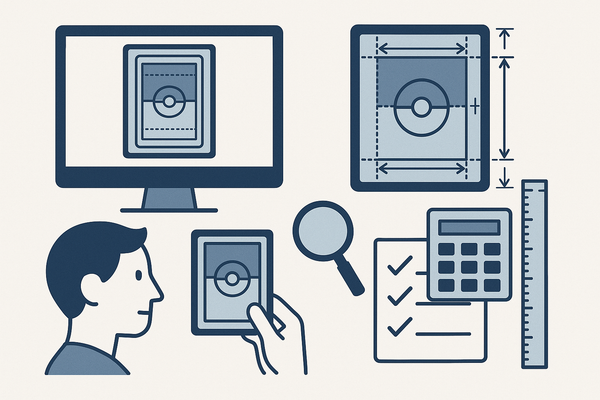
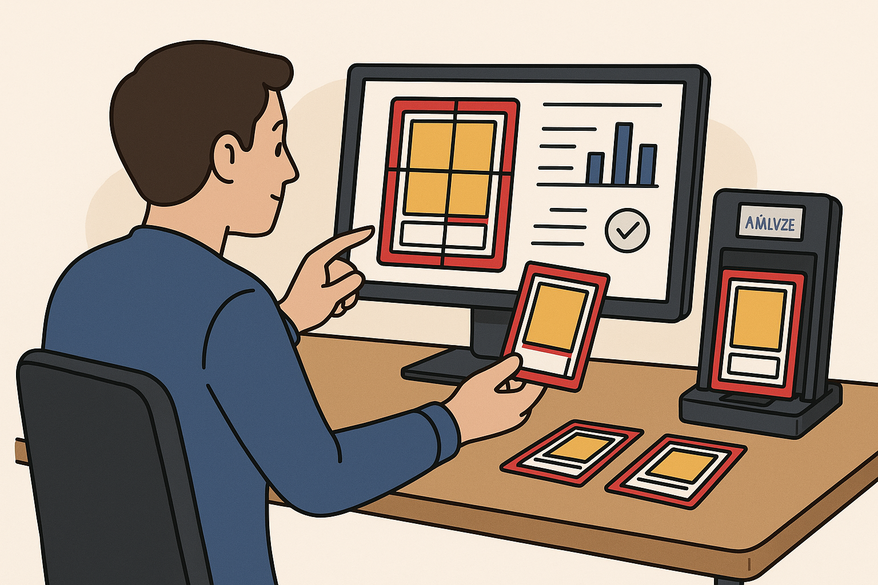
- Main workspace with live preview
- Scan, upload, or capture buttons
- Draggable guides for borders
- Result panel showing ratios and predictions
- Settings menu for sensitivity and thresholds
Troubleshooting Common Setup Issues
- Warped card? Shoot straight-on and crop for perspective
- Missing edges? Increase lighting or adjust detection sensitivity
- Mismatched sides? Upload both front and back before predicting
3. Detailed Tutorial on Using the Card Centering Analyzer
Step-by-Step Instructions
- Place card on a contrasting surface with good lighting
- Capture or upload the image via the scan/upload control
- Run auto-detect to position border guides
- Fine-tune guides manually using zoom or loupe
- Read centering ratios (e.g., left 1.8 mm, right 1.2 mm = 60/40)
- Upload back image and identify the worst axis
- Interpret grade predictions across services
- Save or export your analysis report
Core Functionalities Explained
- Border detection engine: minimizes manual error
- Manual guide overrides: drag lines for faint edges
- Grading standards reference: built-in tolerances per company
- Off-center visualization: preview 65/35 or 75/25 mock-ups
Tips for Effective Analysis
- Always evaluate both axes; the worst axis dictates your subgrade
- Align guides to consistent reference points (frames, logos)
- Respect each company’s tolerance—PSA 10 differs from BGS 10
- Combine quantitative ratios with visual inspection
4. Advanced Tips and Techniques for the Card Centering Analyzer
Customization Options
- Adjust detection sensitivity for faint borders
- Customize guide colors and line thickness
- Set target grades to flag cards below thresholds
- Batch processing: scan multiple cards and auto-save data
Expert Best Practices
- Measure the worst side first; it limits your grade
- Maintain consistent camera setup, angle, and lighting
- Train your eye with off-center visuals for quick checks
- Pair centering analysis with corner, edge, and surface inspections
Hidden & Advanced Features
- Perspective correction for angled photos
- Multi-point inspection combining centering plus edges and surface
- Export structured reports (PDF summaries or CSV)
5. Conclusion: Card Centering Analyzer Tutorial Recap
We’ve covered:
- What a card centering analyzer is and why it matters
- Setup requirements and interface walkthrough
- Step-by-step analysis from image capture to ratio interpretation
- Advanced customization, expert techniques, and batch tips
- Answers to your most pressing centering questions
Implement these practices to screen cards scientifically, avoid off-center fees, and make informed submission choices. Learn how improved centering helps you save grading fees with precision.
6. Call to Action: Engage with Our Card Centering Analyzer Tutorial
- Subscribe for more in-depth grading tool walkthroughs
- Comment with your tips and experiences
- Share this guide with fellow collectors
- Explore related posts:
- Surface & edge inspection guides
- Grading submission tutorials
- Case studies of analyzer predictions vs. final grades
FAQ
- Do I need to remove the card from its sleeve or case?
Yes—removing sleeves prevents reflections and false edges. - What background works best?
A uniform, contrasting surface (plain white or black). - Photos vs. scans— which is better?
Photos are preferred; flatbed scans can distort perspective. - How is centering measured?
Smaller border ÷ total border width = centering ratio (e.g., 1.8 mm ÷ 3.0 mm = 60/40). - Can I check front and back together?
Yes—upload both sides; the tool flags the worst side. - Why does my card look distorted?
Angled photos cause trapezoid distortion—reshoot straight on or use rectification. - My card has no obvious border. Can I still measure?
Use consistent design elements (logo box, text frame) as surrogate borders. - Are predictions guaranteed?
No—predictions follow standards but final grades depend on human graders and other subgrades. - Why do grades differ by company?
Each service has unique centering tolerances; this tool compares them side-by-side.