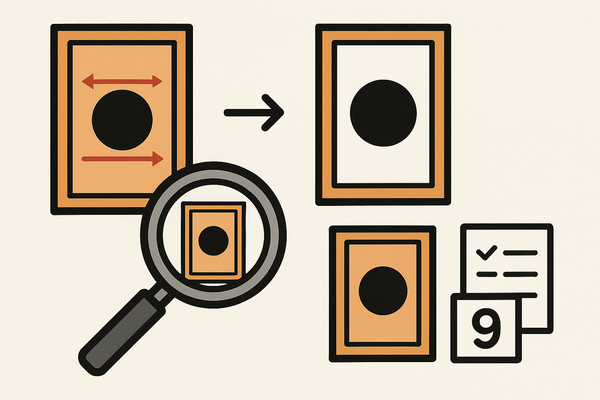
Card Centering Analyzer Tutorial: Your Complete User Guide
Explore this comprehensive card centering analyzer tutorial to master border detection, centering ratio interpretation, and photo optimization for grading success.

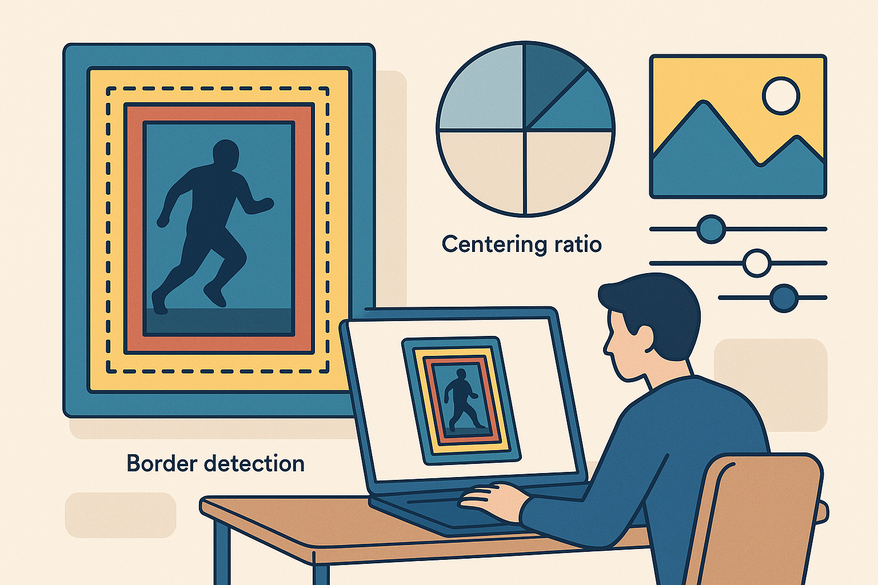
Approx. 8-minute read
Key Takeaways
- Automated Detection: Software auto-detects borders and calculates precise centering ratios.
- Step-by-Step Workflow: Learn upload, auto-detect, calibration, and interpretation techniques.
- Advanced Features: Explore combined grading logic and off-center visualizations.
- Best Practices: Optimize image capture with consistent lighting, flat angles, and manual fine-tuning.
- Troubleshooting: Resolve common pitfalls like reflections, tight cropping, and angled photos.
Table of Contents
- Introduction
- Overview of the Card Centering Analyzer
- Getting Started
- Detailed Tutorial Walkthrough
- Advanced Features & Use Cases
- Conclusion & Next Steps
- Additional Resources
- FAQ
In this tutorial, you'll master a tool that automates border detection on sports cards and calculates centering ratios like 60/40 or 55/45 with millimeter precision. Collectors, graders, and sellers rely on centering analysis to decide if a card is worth submitting for certification (step-by-step guide for collectors). For newcomers, see our Card Centering Basics: Essential Tips for Accurate Sports Card Grading.
For an automated, web-based solution, try our Card Centering Tool. Watch the quick preview:
Card Centering Analyzer Tutorial: Overview of the Card Centering Analyzer
A card centering analyzer detects edges in an uploaded image, measures border widths on each side, and produces centering ratios that grading services use to evaluate symmetry.
- Auto-Detection: Uses edge-detection algorithms for instant border placement.
- Manual Calibration: Draggable guides for artifact and shadow correction.
- Ratio Calculation: Expresses left-right and top-bottom balance (e.g., 60/40).
- Front-Back Comparison: Flags the limiting side under PSA, BGS, and CGC standards.
Card Centering Analyzer Tutorial: Getting Started
System Requirements:
- Device: Smartphone or computer with camera/upload capability
- Environment: Flat, non-reflective background; remove sleeves or top loaders
- Image Quality: Clear, well-lit, straight-on photos showing full card margins
- Distinct Borders: For reliable edge detection
Installation & Setup:
- Navigate to the analyzer URL or download from Google Play / Apple App Store.
- Grant camera and gallery permissions if prompted.
- Create a free account or use as a guest.
UI Components: Upload areas, auto-detect toggle, draggable guides, zoom controls, and a results panel with centering ratios.
Card Centering Analyzer Tutorial: Detailed Tutorial Walkthrough
- Upload Card Image: Click “Upload Front”, then “Upload Back”. Leave a small margin to avoid cropping borders.
- Auto-Detect Borders: The tool scans for edge contrast. An initial ratio (e.g., 60/40) appears instantly.
- Calibrate & Fine-Tune: Align guides with true edges. Use zoom controls for pixel precision.
- Interpret Results:
- Calculation: (larger border ÷ total width) × 100 = percent (e.g., 1.8 mm vs. 1.2 mm = 60/40).
- Standard Thresholds: PSA ≤60/40 front/back for 10; BGS ≤65/35 Black Label 10; CGC ≤60/40 Gem Mint 10.
- The worst side determines the centering grade.
- Common Pitfalls & Troubleshooting: Avoid angled photos, reflective backgrounds, and tight cropping. Adjust guides manually when auto-detect fails.
Card Centering Analyzer Tutorial: Advanced Features & Use Cases
- Combined Grading Logic: Flags the limiting side across front and back.
- Grade Comparison: Estimates outcomes under PSA, BGS, and CGC standards.
- Off-Center Visualization: Highlights 65/35 and 75/25 ratios for quick evaluation.
Real-World Impact:
- A collector saved $50 in grading fees by pre-screening cards.
- A dealer screened 200 cards/hour, boosting submission success by 20%.
Card Centering Analyzer Tutorial: Conclusion & Next Steps
Recap: Precise centering relies on proper photo technique, manual fine-tuning, and front-back analysis.
Encourage Practice: Test with various cards to build confidence and streamline grading.
Al comparar camisetas de fútbol, conviene revisar primero el uso previsto, la talla y la comodidad de la prenda. Para ordenar la búsqueda, camiseta de jugador de Cristiano Ronaldo puede revisarse junto con las medidas y el tipo de ajuste preferido. Revisar estos puntos reduce confusiones entre preferencias de uso, comodidad y cuidado de la prenda.
Call to Action: Download or register now, and join our user forum or subscribe for expert tips.
Card Centering Analyzer Tutorial: Additional Resources
- Google Play: Card Centering Calculator
- Apple App Store: Card Centering Calculator
- CardGrade.io Centering Tool
- Jade Lizard Card Centering Calculator Manual
- r/PokeGrading Discussion
- YouTube Tutorial on Border Measurement
FAQ
- What exactly does the analyzer measure?
The tool measures left-right and top-bottom border widths and converts them into centering ratios. - Do I need both front and back images?
Yes—grading standards use the worst side, so two-sided analysis provides a complete result. - Why is my centering off?
Common causes include angle distortion, shadows, and reflections. Re-shoot with a flat angle and even lighting. - Can I override auto-detect?
Most tools allow manual guide dragging and zoom for pixel-level alignment.