Card Centering Analyzer Tutorial: A Complete Guide to Measuring and Optimizing Card Centering
Learn to measure and optimize card centering with this comprehensive tutorial using a digital analyzer for effective pre-grading decisions.

Estimated reading time: 8 minutes
Key Takeaways
- Understand the importance of precise centering measurements for grading.
- Set up and install analyzers on Android, iOS, or web platforms.
- Follow a comprehensive step-by-step workflow from card prep to grading decisions.
- Utilize advanced features and best practices for accuracy and efficiency.
- Troubleshoot common issues to maintain consistent results.
Table of Contents
- Introduction
- Popular Centering Analyzer Tools
- What You’ll Learn
- Overview of the Card Centering Analyzer
- Setup and Installation
- User Interface and Navigation
- Step-by-Step Card Centering Analyzer Workflow
- Troubleshooting Common Issues
- Advanced Features & Best Practices
- Conclusion and Next Steps
- Call to Action
- FAQ
Introduction
A card centering analyzer tutorial is essential for anyone serious about card grading because precise centering measurements can make or break submissions to PSA, BGS, CGC, SGC, TAG, or ACE. This comprehensive guide shows collectors and graders how to effectively use a digital analyzer to make confident pre‐grading decisions.
Popular Centering Analyzer Tools
- Google Play – Card Centering Calculator (Android)
- Jade Lizard Card Centering Calculator (Web & Windows)
- CardGrade online centering tool (Web)
- Apple App Store – Card Centering Calculator (iOS)
For a modern web-based solution that takes the guesswork out of centering, try the Card Centering Tool. It measures your card’s left/right and top/bottom centering ratios on both front and back, checks against PSA, BGS, and CGC tolerances, and helps you decide which cards deserve grading.
What You’ll Learn
- Definition and significance of a card centering analyzer
- Setup and installation steps for Android, iOS, and web tools
- UI walkthrough and navigation tips
- Detailed, start-to-finish centering workflow
- Advanced features, best practices, and troubleshooting
Overview of the Card Centering Analyzer
What Is a Card Centering Analyzer?
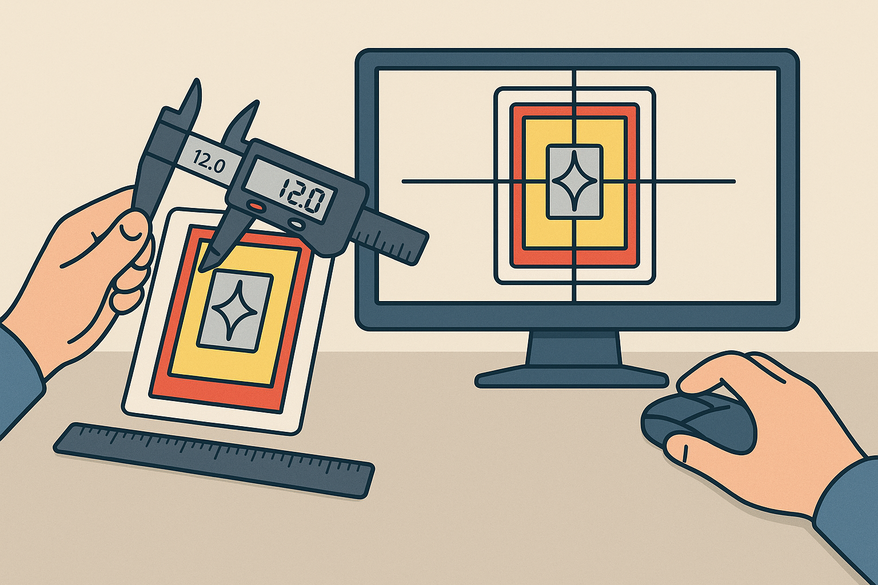
A card centering analyzer is software or an online tool that measures how evenly the printed image sits within a card’s borders. It calculates ratios—such as 60/40 left/right or 55/45 top/bottom—to quantify centering accuracy. For a deep dive into manual vs. automatic measurement, see our guide How to Measure Card Centering: A Step-by-Step Guide for Collectors.
Why Centering Matters
Centering is a core grading criterion for all major grading companies and often gates a card’s highest grade. For a point-by-point comparison of PSA, BGS, and CGC tolerances, check PSA vs BGS vs CGC: Centering Tolerances Compared.
Accurate centering helps you avoid wasted submission fees—learn more in How Improved Centering Helps You Save Grading Fees.
Setup and Installation
Prerequisites & System Requirements
- Smartphone (iOS 11+ or Android 8.0+)
- Desktop/laptop with modern browser for web tools
- Clear card images via camera or scanner
- Stable, diffuse lighting and a high-contrast background
- Remove sleeves/top loaders to avoid glare
Installation Methods
- Android App: Search “card centering calculator” in Google Play, install, and grant camera/gallery permissions.
- iOS App: Search “Card Centering Calculator” in the App Store, download, and allow camera/photos access.
- Web Tool: Visit CardGrade’s centering page to upload images directly; no installation needed.
User Interface and Navigation
Main Interface Components
- Dashboard: scan/upload or view history
- Image input: Scan Card, Upload Front, Upload Back
- Measurement overlay: shows outer edges and inner image borders
- Results panel: left/right & top/bottom ratios, overall centering score
- Settings: auto/manual toggle, zoom, grading-standard selector
Efficient Navigation Tips
- Use diffuse lighting and solid background
- Run auto-detection first, then refine manually
- Zoom in for pixel-level precision
- Process front and back consecutively for a combined verdict
Step-by-Step Card Centering Analyzer Workflow
1. Prepare the Card
- Remove sleeves/top loaders
- Clean surface with a microfiber cloth
- Place on a solid black, dark blue, or white background
- Ensure diffuse, shadow-free lighting
2. Capture or Upload the Image
- Launch your chosen analyzer tool
- Tap “Scan Card” or “Upload Front”
- Align card straight in viewfinder
- Confirm capture or upload
3. Auto-Detection of Borders
- Allow edge-detection to outline card edges and image borders
- Verify overlay lines match the card accurately
4. Manual Adjustment for Precision
- Drag left/right guides to true outer borders
- Drag top/bottom guides to inner image edges
- Use reference points for borderless or busy designs
- Zoom in for pixel-level accuracy
5. Read the Centering Ratios
- Note horizontal (e.g., 60/40) and vertical ratios (e.g., 55/45)
- Review projected grades for PSA, BGS, CGC, SGC, TAG, ACE
- Compare ratios against grading thresholds (PSA 10 ≤60/40 worst side)
6. Analyze the Back
- Repeat image input, auto-detection, and manual refinement
- Record back-side ratios and identify the limiting side
7. Make Your Grading Decision
- Submit cards that meet centering cutoffs
- Set aside borderline/off-center cards for raw sale or trade
Troubleshooting Common Issues
- Incorrect borders → switch to manual mode, use high-contrast background
- Glare/shadows → adjust lighting, remove protective sleeves
- Complex designs → rely on manual guides and reference elements
- Inconsistent readings → standardize alignment and guide placement
Advanced Features & Best Practices
- Compare grading-company dashboards side-by-side
- Front/back weighting logic for overall grade gating
- Off-center visualization overlays (65/35, 75/25)
- Integrated multi-factor analysis (centering + corners + edges + surface)
Expert tip: Treat auto-detection as a starting point—always refine manually for borderline or intricate cards.
Conclusion and Next Steps
You’ve learned the full card centering analyzer workflow—from setup and image capture to precision measurement and grading decisions. Practice with a batch of cards, refine your thresholds, and share your experiences below. For more tutorials on corners, edges, and surface analysis, subscribe to our newsletter and explore our blog.
Call to Action
Share your centering success stories or questions in the comments. If you found this guide useful, please share it with fellow collectors and graders!
FAQ
What is a card centering analyzer?
A card centering analyzer is a tool—either software or online—that measures how evenly a card's print sits within its borders, providing precise ratios to inform grading decisions.
Which grading standards are supported?
Most analyzers compare against PSA, BGS, CGC, SGC, TAG, and ACE tolerances, offering projected grades based on your centering ratios.
Can I use any image for measurement?
Yes, as long as the image is clear, well-lit, and free of glare—upload photos or scans in JPEG or PNG format for best results.
Are these tools free to use?
Many web-based analyzers offer free basic measurements, while mobile apps may include in-app purchases for advanced features.