Card Centering Analyzer Tutorial: A Step-by-Step User Guide to Perfect Card Centering
Learn card centering measurement with this step-by-step tutorial for using a card centering analyzer—improve grading results with precise centering techniques.

Estimated reading time: 7 minutes
Key Takeaways
- AI-powered border detection and measurement deliver precise centering ratios.
- Accurate centering forecasts your grading outcome and helps save on fees.
- Follow our clear, step-by-step scan/upload workflow for reliable results.
- Supports multiple grading standards—PSA, BGS, CGC, SGC, TAG, and ACE.
Table of Contents
- Understanding the Basics of Card Centering Analyzer
- Benefits and Applications
- Step-by-Step Card Centering Analyzer Tutorial
- Navigation and Key Features of the Analyzer
- Advanced Analyzer Features and Expert Tips
- Conclusion and Additional Resources
- FAQ
Understanding the Basics of Card Centering Analyzer
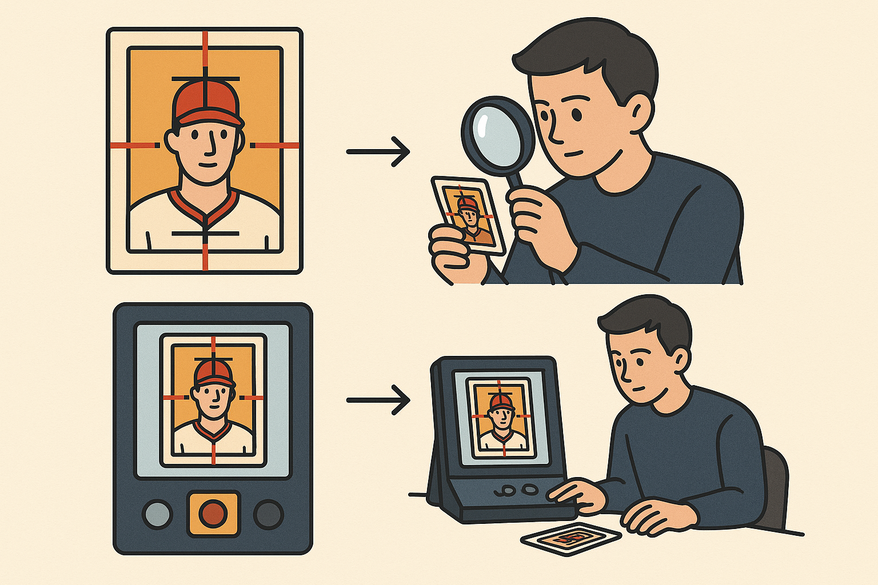
A centering ratio quantifies how evenly the printed image sits between opposite card borders. Calculate it as (smaller border ÷ total of both borders) × 100, then display it as X/Y (for example, 55/45). Card centering analyzers let you upload or scan card images; their AI or manual guides detect the edges and compute left/right and top/bottom ratios. For collectors preferring rulers, see our step-by-step guide for collectors.
Benefits and Applications
- Estimate your odds of securing a top grade before submission.
- Supports Pokémon, sports, One Piece, Lorcana, and many more card types.
- Identify whether the front or back image limits your final score.
- Quickly filter out poorly centered cards to save grading fees.
Step-by-Step Card Centering Analyzer Tutorial
- Install or Access the Tool
• Mobile app: download from Google Play or App Store.
• Web tool: open in your browser—no installation required.
• Verify support for your card game and grading company before starting. - Prepare Your Card and Workspace
• Lay the card flat on a contrasting, solid background.
• Remove sleeves or glossy covers if recommended.
• Position your camera directly above so borders appear parallel. - Upload or Scan the Card
• Choose “Scan” for live capture or “Upload” for front and back images.
• Start with the front to get your initial ratio, then add the back if supported. - Automatic Border Detection and Manual Adjustment
• Let the AI overlay border guides automatically.
• Confirm guides align with the actual card edges.
• Drag guides manually for perfect accuracy. - Read the Centering Output
• Note the ratio (e.g., 50/50, 60/40, 55/45).
• Review built-in grade estimates per grading company.
• Compare front vs. back to find your limiting side.
• Unsure if a card is off-center? Check this guide. - Next Steps Based on Your Results
• If your ratio meets your target (e.g., ≥ 55/45), proceed with submission.
• If off-target, rescan with better alignment or skip to conserve funds.
• Save or mark results for resale and future reference.
Navigation and Key Features of the Analyzer
- “Upload Front” / “Upload Back” buttons for dual-side checks.
- “Auto-Detect” toggle for AI-driven edge detection.
- Draggable measurement guides for manual corrections.
- Real-time ratio display that updates as you adjust guides.
- Grade estimation panel comparing PSA, BGS, CGC, SGC, TAG, and ACE standards.
Advanced Analyzer Features and Expert Tips
- AI-based auto-centering for rapid scans.
- Combined front/back analysis highlights your limiting side.
- Multi-company grade forecasting for top grading authorities.
- Manual fine-tuning tools to perfect auto-detected guides.
Conclusion and Additional Resources
This tutorial guided you through accurate border measurement, interpreting centering ratios, scan/upload workflows, and troubleshooting. You’re now ready to capture precise card images, read centering outputs confidently, and make informed grading decisions. Try the Card Centering Tool today and protect your grading budget with precise measurements.
FAQ
- What does 60/40 mean?
- One border is 60% of the total side length, the opposite border is 40%.
- Do I need both front and back images?
- Front-only gives a partial view; dual-side analysis offers a complete assessment.
- Why do different tools give different ratios?
- Variations in detection algorithms and manual-adjust options lead to slight differences.
- Can I use a phone camera?
- Yes—phone capture is fully supported and often more convenient for quick scans.
- What if my card has faint borders?
- Use higher image quality or manual guide correction if low-contrast edges reduce accuracy.