Card Centering Analyzer Tutorial: A Complete User Guide for Collectors and Graders
Learn how a card centering analyzer helps collectors and graders improve their card submissions with this comprehensive guide on measuring centering.

Estimated reading time: 5 minutes
Key Takeaways
- Precise Measurements: Achieve sub-millimeter accuracy with both automatic edge detection and manual guide adjustments.
- Grade Impact: Even a slight off-center border can drop a card from Gem-Mint 10 to a lower tier—affecting resale value.
- Streamlined Workflow: Screen your collection, measure borders, and make submission decisions with color-coded pass/fail indicators.
- Versatile Applications: Ideal for pre-submission checks, on-site grading assessments, and building buyer confidence in sales listings.
Table of Contents
- Why Centering Matters
- Overview of a Card Centering Analyzer
- Setup and Requirements
- Step-by-Step Measurement Process
- Tips & Best Practices
- Practical Use Cases
- FAQ
A card centering analyzer tutorial helps hobbyists and professional graders measure how evenly a trading card’s artwork sits inside its borders. Accurate centering often determines whether you earn a PSA, BGS, or CGC Gem-Mint 10 or a lower grade. Precise border ratios can make or break your submission and resale value.
If you prefer an all-in-one web solution with automatic edge detection, try Card Centering Tool for instant centering measurements and grader-tolerance checks.
1. Why Centering Matters
- Grading Impact: Off-center cards often fall to PSA 9 or lower even if corners and surfaces are perfect.
- Resale Value: Gem-Mint 10 cards command premium prices, and borderline centering can cost you thousands.
2. Overview of a Card Centering Analyzer
A centering analyzer can be a web app or mobile app that:
- Automatically detects card edges with computer vision.
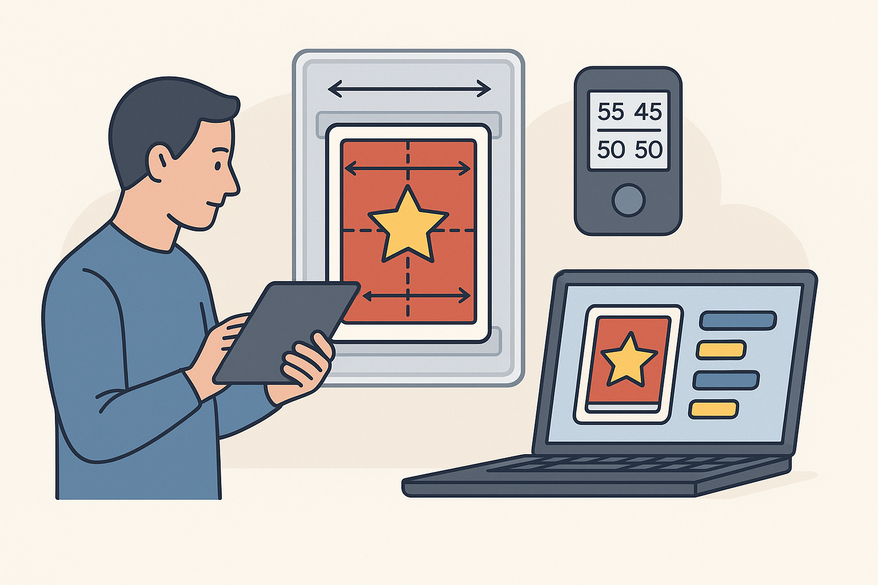
- Measures left/right and top/bottom border widths in millimeters.
- Computes ratios (e.g., 60/40, 55/45) and compares them to PSA, BGS, and CGC standards. For a deep dive on grading tolerances, see PSA vs BGS vs CGC: Centering Tolerances Compared.
3. Setup and Requirements
Before you begin:
- Hardware: Smartphone/tablet with a clear camera or a computer with a webcam/scanner.
- Lighting: Use diffuse overhead light to avoid shadows and glare.
- Background: A flat, contrasting sheet (white or black) for clear edge detection.
4. Step-by-Step Measurement Process
4.1 Capture or Upload the Card Image
Hold your camera parallel to the card, frame all edges, and take multiple shots. Choose the sharpest image and upload it as “Front” (and “Back” if supported).
4.2 Auto-Detect Borders
The analyzer draws guide lines at each detected edge and instantly shows preliminary left/right (LR) and top/bottom (TB) ratios.
4.3 Manual Guide Adjustment
Use zoom and drag-and-drop handles to align each guide line precisely with the inner printed border for sub-millimeter accuracy.
4.4 Read and Interpret Ratios
Ratios are calculated as (smaller border ÷ total) × 100. The axis with the larger deviation sets your overall centering score.
4.5 Decide Based on Tolerances
PSA Gem-Mint 10 generally allows up to 55/45 on any axis. Use the color-coded pass/fail indicators to decide whether to submit. For manual measurement best practices, see How to Measure Card Centering: A Step-by-Step Guide for Collectors.
5. Tips & Best Practices
- Keep your setup consistent—same background, lighting, and distance every time.
- Remove sleeves or top-loaders to prevent glare and edge distortion.
- Always verify auto-detected guides; manual tweaks can improve accuracy for busy or faded borders.
- For borderline cards, take multiple measurements and average the results.
6. Practical Use Cases
- Pre-Submission Screening: Filter out off-center cards before paying grading fees.
- On-Site Checks: Use your phone at shows or shops for instant centering assessments.
- Sales Listings: Include centering screenshots in your online listings to build buyer trust.
FAQ
- Q1. Does a centering analyzer guarantee a grade?
- No—it measures only centering. Corners, edges, and surface condition also affect final grades.
- Q2. Can I use scanned images?
- Some analyzers handle scans well; others prefer photos. Check your tool’s recommendation.
- Q3. Why analyze both front and back?
- Graders pick the worse of front/back centering for the final subgrade, so both sides matter.