The Ultimate Card Centering Analyzer Tutorial: Measure Your Trading Card Alignment Like a Pro
Master card alignment with our guide on using a card centering analyzer tutorial for accurate grading; improve your trading card's value and resale potential.

Estimated reading time: 10 minutes
Key Takeaways
- Master card centering analysis with automated tools that deliver precise border ratios within seconds.
- Understand how to set up and use a centering analyzer for both front and back of your cards.
- Discover core functionalities like edge detection, manual adjustments, and grade comparison.
- Learn best practices for photo setup, troubleshooting common issues, and batch processing.
Table of Contents
- Introduction
- What Is a Card Centering Analyzer?
- Core Functionalities & Key Components
- Benefits of Using a Card Centering Analyzer
- Getting Started – Setup & Installation
- Detailed Walkthrough / User Guide
- Troubleshooting Common Issues
- Advanced Features & Customization
- Best Practices & Common Use Cases
- Summary & Conclusion
- FAQ
Introduction
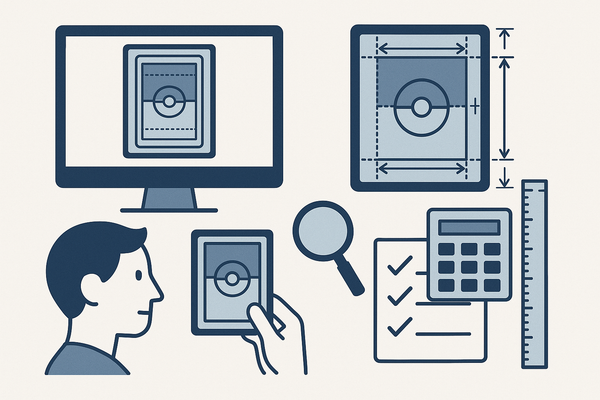
The card centering analyzer tutorial shows you why precise centering matters for grading and resale value. A centering analyzer tool measures how evenly your card’s image sits within its borders by detecting edges and calculating left-to-right and top-to-bottom ratios—both front and back—then compares them against PSA, BGS, CGC, SGC, TAG, and ACE standards.
For collectors looking to automate centering measurements with sub-millimeter precision, the Card Centering Tool web app calculates left-to-right and top-to-bottom ratios on both sides and flags PSA, BGS, or CGC grade tolerances instantly. Try it now:
What Is a Card Centering Analyzer?
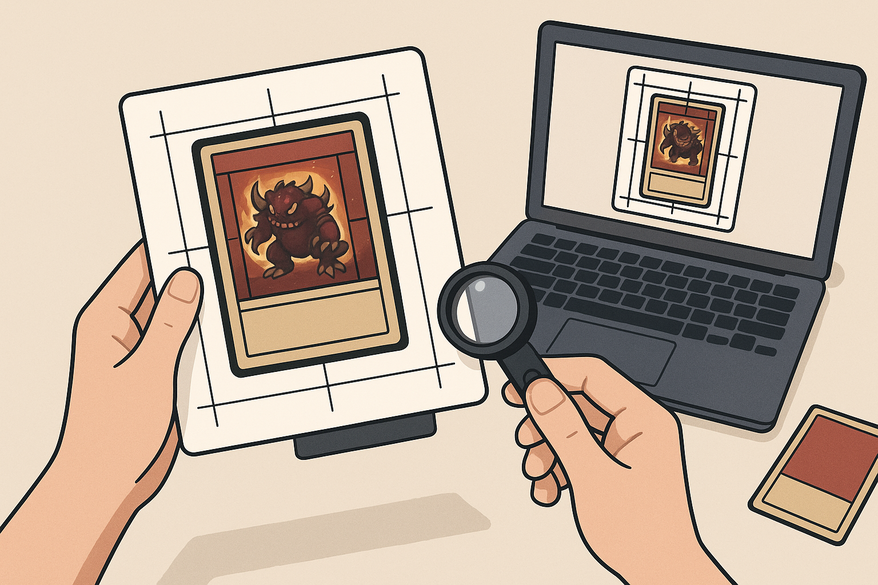
A card centering analyzer is a specialized tool—available as a mobile app or web-based software—that measures how centered a trading card’s artwork sits within its borders. It uses edge-detection algorithms to calculate left vs. right and top vs. bottom border ratios, then compares those numbers against grading standards from PSA, BGS, CGC, SGC, TAG, and ACE.
For more on manual centering measurement methods, check out our detailed guide.
Core Functionalities & Key Components
Image Acquisition
- Upload existing photos or scans.
- Live camera capture on mobile devices.
- Source: Card Centering Calculator on Apple App Store
Automated Border Detection
- Edge-finding algorithms isolate the card outline.
- Machine vision filters out background clutter.
- Source: CardGrade Centering Tool
Manual Adjustment Toolset
- Draggable guide lines for pixel-level correction.
- Zoom or loupe modes.
- Source: Card Centering Calculator on Apple App Store
Front and Back Centering Checks
- Analyze both sides with side-by-side results.
- Source: CardGrade Centering Tool
Grade Comparison Engine
- Maps ratios to grading thresholds for PSA, BGS, CGC, SGC, TAG, ACE.
- Visual indicators highlight qualifying grades.
- Source: CardGrade Centering Tool, Card Centering Calculator on Google Play
Benefits of Using a Card Centering Analyzer
- Speed: Instant readouts reduce analysis time from minutes to seconds; batch-processing multiple cards is a breeze.
- Accuracy & Consistency: Algorithms eliminate human error—same measurement method every time.
- Informed Submission Decisions: Compare your card’s ratios against PSA, BGS, CGC, SGC, TAG, and ACE standards before paying grading fees.
- Organization: Save images and data in a searchable library; export CSV or PDF reports for inventory and sales.
Getting Started – Setup & Installation
Prerequisites
- Device: Smartphone, tablet, or computer with camera or upload capability.
- Environment: Flat, non-reflective surface; even lighting; remove any sleeves or top loaders.
- Source: CardGrade Centering Tool
Mobile App Flow
- Download the app from the Google Play or Apple App Store.
- Grant camera and photo library permissions.
- Launch and select “Front” or “Back” capture.
- Adjust grading preferences as needed.
Web-Based Tool Flow
- Visit the online centering tool.
- Click “Upload Image” and select card scans.
- Grant camera permissions for live capture if desired.
Detailed Walkthrough / User Guide
Follow these step-by-step instructions for a flawless centering check.
- Import the Card Image
- Capture a straight-on photo or scan.
- Upload or take live with the app.
- Source: Card Centering Calculator on Google Play, Apple App Store
- Ensure Proper Photo Setup
- Keep camera at 90° to card; full border visible.
- Use a plain, non-reflective background.
- Source: CardGrade Centering Tool
- Auto-Detect Borders
- Allow the tool to run edge-finding algorithms.
- View preliminary border ratios.
- Source: CardGrade Centering Tool
- Review Centering Percentages
- Left vs. right and top vs. bottom percentages display.
- Watch for off-center alerts (e.g., 65/35).
- Source: Apple App Store
- Use Manual Tools
- Drag guide lines for pixel-perfect placement.
- Zoom in with loupe mode for precision.
- Source: Apple App Store
- Toggle Front/Back Results
- Compare both sides side-by-side to identify which is less centered.
- Source: CardGrade Centering Tool
- View Grade Comparison Panel
- See PSA, BGS, CGC, SGC, TAG, and ACE thresholds with color-coded pass/fail indicators.
- Source: JadeLizard Centering Calculator
- Save or Export Results
- Add to your card library and track history.
- Export as CSV or PDF for records.
- Source: Google Play
FAQ
- What is a card centering analyzer?
A tool that measures how centered a card’s artwork sits within its borders by calculating border ratios and comparing them to grading standards. - How accurate are these tools?
Advanced algorithms provide sub-millimeter precision, reducing human error and ensuring consistency. - Which grading companies are supported?
Most analyzers map results to PSA, BGS, CGC, SGC, TAG, and ACE thresholds. - Do I need to remove card sleeves?
Yes. Protective sleeves or top loaders can introduce glare and interfere with edge detection. - Can I process multiple cards at once?
Absolutely. Batch-processing features let you analyze entire collections in seconds.