Card Centering Analyzer Tutorial: The Ultimate User Guide for Accurate Grading
Learn how to accurately use a card centering analyzer tool for better grading results. Follow our comprehensive tutorial for improved accuracy and reduced fees.

Estimated reading time: 5 minutes
Key Takeaways
- Card centering analyzers measure border ratios to predict grading subgrades accurately.
- Available as web tools, mobile apps, or physical overlays for objective measurements.
- Accurate centering reduces grading fees on off-center cards and informs smarter buying decisions.
- A clear workflow—from card prep to ratio interpretation—ensures consistency.
- Advanced tips include consistent lighting, parallel shots, measuring both sides, and bulk screening.
Table of Contents
- Introduction
- Understanding the Card Centering Analyzer
- Setting Up the Card Centering Analyzer
- Step-by-Step Tutorial for Effective Use
- Advanced Tips and Best Practices
- Card Centering Tool
- FAQ
A card centering analyzer tutorial teaches collectors how to use a tool for measuring card centering ratios. A card centering analyzer is software or a physical overlay that measures the distances between a card’s printed image and its borders. Proper centering is critical for submissions to PSA, BGS, SGC, CGC, TAG, and ACE—well-centered cards can earn higher subgrades and value premiums, while poor centering can drop a card’s grade even if corners and surface are pristine.
In this tutorial, you will learn:
- What a card centering analyzer is and why it matters
- How to set up your analyzer (web, mobile, or physical overlay)
- A step-by-step workflow for accurate centering measurement
- Advanced tips, best practices, and common pitfalls
- Answers to frequently asked questions and links for further help
For a manual approach, see our step-by-step guide on how to measure card centering.
Understanding the Card Centering Analyzer
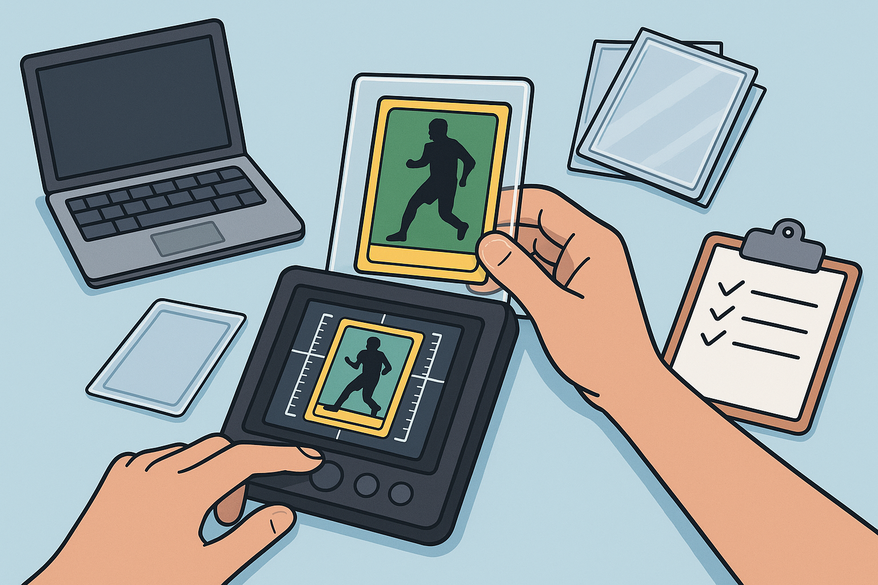
A card centering analyzer is either software or a physical jig designed to measure the distance between a card’s printed image and its borders, converting these measurements into centering ratios (e.g., 55/45 or 60/40). These ratios are critical predictors of the centering subgrade awarded by top grading companies.
Implementations include:
- Web tools (upload or photo + AI/manual guidance)
- Mobile apps (live scan + real-time ratios)
- Physical overlays (clear plastic with numbered lines)
Purpose & Benefits:
- Objectively measure centering against grading standards (PSA vs BGS vs CGC: Centering Tolerances Compared)
- Reduce guesswork when buying or submitting cards
- Avoid grading fees on off-center cards
Setting Up the Card Centering Analyzer
System Requirements
- Web tools: modern browser, camera or scanned images, internet connection
- Mobile apps: iOS/Android device with camera permissions
- Physical overlays: clear plastic film removed, cleaned with microfiber cloth
Installation & Access
- Web: visit the site—no installation needed
- Mobile: download from the App Store or Play Store and grant permissions
- Physical: peel off protective film and clean
Initial Configuration
- Select card size/type
- Choose default grading standard and target threshold
- Switch between automatic and manual measurement modes
Troubleshooting Tips
- Skewed images? Use a flat, contrasting background and auto-rectify
- Poor border detection? Improve lighting, remove sleeves, or use manual guides
- Camera issues? Check permissions and restart the app
Step-by-Step Tutorial for Effective Use
- Prepare the Card: Remove sleeves and dust, then place on a neutral surface.
- Capture or Upload: Take straight-on photos of both sides, ensuring edges are visible.
- Align Borders & Guides: Review automatic detections or drag lines manually.
- Generate Ratios: Compute smaller border ÷ total border × 100 (e.g., 55/45 left/right).
- Interpret Estimates: Match ratios to PSA, BGS, SGC, CGC, TAG, and ACE thresholds.
- Decide: Submit if on target; hold or sell if off-center; re-evaluate borderline cards.
Advanced Tips and Best Practices
- Use diffuse lighting to avoid reflections.
- Keep your camera parallel to the card to reduce skew.
- Measure front & back—the worse side governs the centering grade.
- Compare cross-company standards for resubmissions.
- Bulk screening: export results for large batches of PSA 9/10 or BGS pristine submissions.
Card Centering Tool
For an automated, web-based solution that measures centering with sub-millimeter precision and flags PSA, BGS, and CGC tolerances, try Card Centering Tool. Below is a preview of the app in action:
FAQ
- Can I measure cards in sleeves?
- For best accuracy, measure unsleeved cards. Clear sleeves can work but may reduce precision.
- Why do tools give different ratios?
- Each tool defines borders and handles skew uniquely—stick to one tool for consistency.
- How accurate are grade predictions?
- Predictions use published centering standards, but final grades also consider surface, corners, and grader discretion.
- Must I measure the back?
- Yes—the centering subgrade is determined by the worse side (front or back).
- My card looks off-center by eye but analyzer says pass—what gives?
- Human perception can be misleading. Use precise measurements to match grading standards: how to tell before grading.