How to Catalog Cards: The Essential Guide for Collectors
Learn how to catalog cards, track your collection's value, organize, store, and insure trading cards. Tips, tools, and step-by-step instructions included.

Estimated reading time: 10 min
Key Takeaways
- Cataloging your card collection can help protect your investment and simplify insurance, sales, and organization.
- Choosing the right system and recording key card details is important for accuracy and value tracking.
- Digital tools and card collection apps may save time and add features like automated grading estimates and portfolio analysis.
- Proper sorting and storage help maintain card condition and make it easier to find cards when needed.
- Regularly updating your catalog is helpful as your collection grows or changes hands.
Learning how to catalog cards isn’t just for serious collectors—it’s a key step in protecting, enjoying, and maximizing the value of your trading card collection. Whether you’re building a Pokémon portfolio, investing in sports cards, or tracking Magic: The Gathering rares, an organized, up-to-date catalog can help you assess your collection’s worth, decide when to grade or sell, and keep everything secure. In this detailed guide, we’ll walk you through step-by-step instructions to catalog cards efficiently, from old-fashioned spreadsheets to card collection apps like Midpoint. We’ll also cover storage, insurance, and tips for treating your collection like a portfolio.
Step 1: Choose Your Card Cataloging System
The first step in learning how to catalog cards is deciding on a system. Your choice depends on the size of your collection, how much detail you want to track, and whether you prefer manual or digital methods.
- Spreadsheet (Manual): Use Excel or Google Sheets for full control and customization. This can be suitable for small to medium collections.
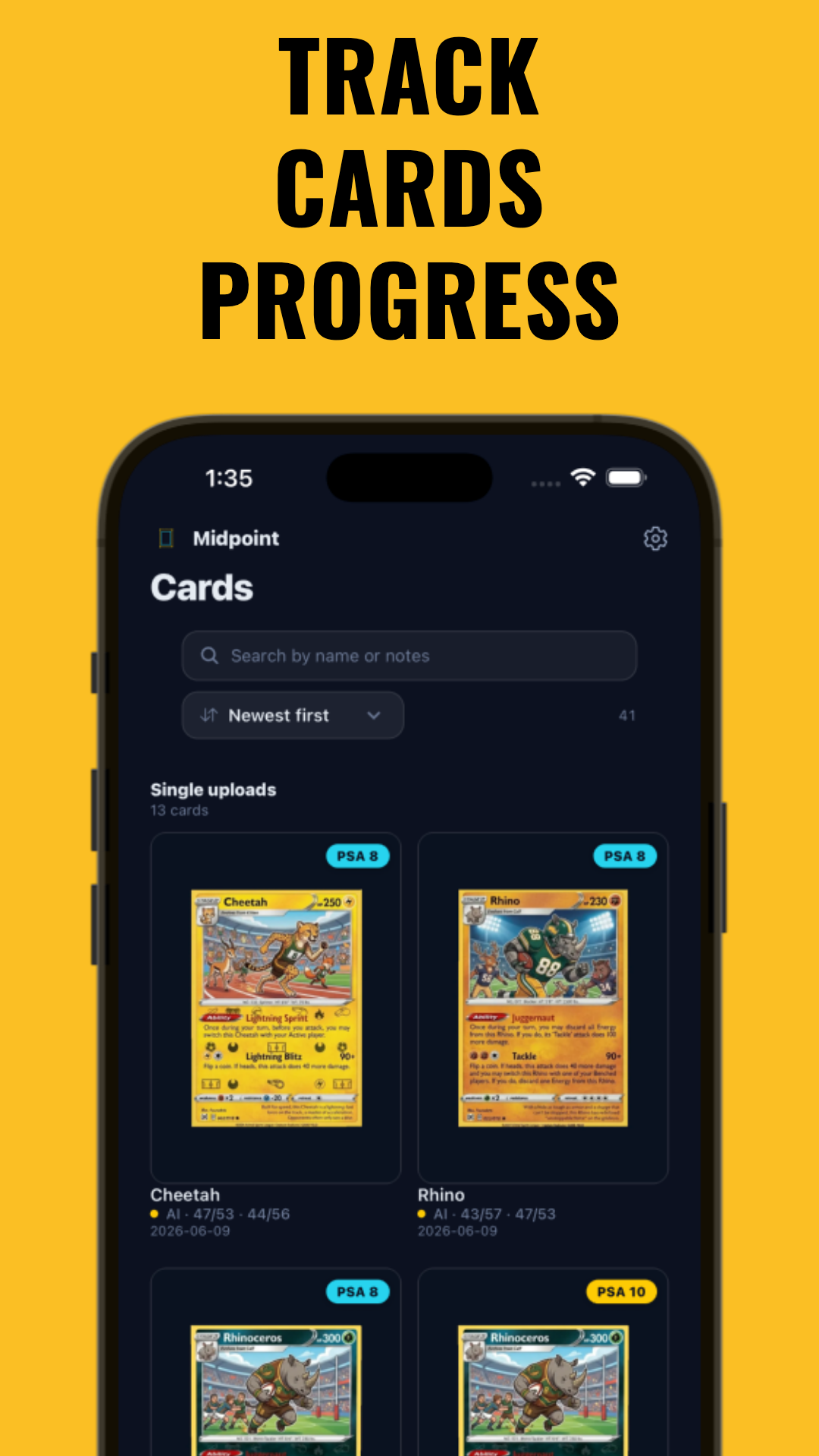
- Dedicated Card Collection App: Apps like Midpoint offer card lookups, grading estimates, value tracking, and portfolio analytics. These may be helpful for collectors or investors.
- Scannable Inventory Software: Some tools scan cards via your phone, auto-filling key details and images. This can save time and reduce errors.
Consider scalability: As your collection grows, digital cataloging can make updates, sorting, and backup easier.
Step 2: Record Core Card Details
Accurate, consistent data is the backbone of any card catalog. For every card, record the following core fields:
- Name: Full card name (e.g., "Charizard VMAX")
- Set/Category: The set or expansion (e.g., "Pokémon Darkness Ablaze")
- Year: Year of release
- Card Number: As printed on the card
- Condition: Raw or graded, with notes on centering, corners, edges, and surface
- Estimated Value: Based on recent sales or tools like Midpoint
- Grading Status: Not graded, grading submitted, or certified (with grade and grader: PSA, BGS, CGC, etc.)
- Autograph or Special Attributes: Notate if autographed, serial numbered, or contains a patch or foil
If you use a spreadsheet, set columns for each attribute. In a card collection app, these fields are often built-in and may be linked to marketplace data for price tracking.
Step 3: Sort and Organize Your Collection
Sorting is both practical and personal. The right system makes it easier to find, showcase, and protect your cards. Popular sorting schemes include:
- By Type: Sports, TCG, non-sports, etc.
- By Sport/Game: Baseball, basketball, Magic: The Gathering, Pokémon, Yu-Gi-Oh, One Piece, Lorcana, etc.
- By Set/Expansion: Keep cards from the same set together
- By Player/Character: Ideal for player collectors or character chasers
- By Year: Helpful for tracking rookie cards or vintage pieces
- By Value: High-, medium-, and low-value for storage and insurance purposes
Use your catalog to assign categories or tags to each card. Digital apps often allow multi-layer filtering, while spreadsheets can use color coding or custom fields.
Step 4: Catalog Inventory Locations
Knowing exactly where each card is stored can save time and help prevent loss. In your catalog, add a field for Inventory Location (e.g., "Binder 2, Page 5, Slot C" or "Box A, Row 3").
- Number or label your binders, boxes, and sleeves for consistency.
- Some digital catalogs like Midpoint allow you to add storage locations and cross-reference cards by physical placement.
- Update the location field whenever you move or sell a card.
This is especially helpful if you have cards stored in multiple places, use off-site storage, or need to provide documentation for insurance claims.
Step 5: Track Value, Grading, and Investment Data
For collectors treating their cards as investments, tracking value and grading potential can be important. Record:
- Estimated Raw and Graded Values: Use recent sales, price guides, or automated tools like Midpoint’s card lookup.
- AI Grading/Pre-Grading: Some tools can estimate PSA, BGS, CGC, or TAG grades before you pay for professional grading. Learn more about AI-powered centering tools.
- Grading History: Track when cards are sent for grading, expected return, and results.
- Portfolio Tracker: Use apps that show total collection value over time, market trends, and historical performance.
Understanding how centering, condition, and grading impact value can help you decide which cards to submit, hold, or sell. For more information, see How Centering Impacts Card Value.
Step 6: Store and Protect Cards by Value and Condition
Physical protection goes hand-in-hand with cataloging. Use your catalog to separate cards by value and storage needs:
- High-Value/Graded Cards: Store in top loaders, magnetic one-touch cases, or graded card sleeves within lockable boxes or safes.
- Mid-Tier Cards: Use penny sleeves inside binders with rigid pages.
- Bulk/Low-Value Cards: Cardboard storage boxes or unsorted bins (but still catalog them for insurance and trade tracking).
Well-organized storage can help protect your investment, speed up inventory searches, and may assist with insurance documentation. Learn more about how card grade affects insurance value.
Step 7: Keep Your Catalog Updated
Your collection is always changing—cards are sold, traded, acquired, graded, or even lost. Make it a habit to:
- Update your catalog after any transaction.
- Regularly re-check values for high-end cards, especially in volatile markets.
- Log grading submissions, results, and any changes in condition.
- Backup your digital records. Some card collection apps auto-save to the cloud; for spreadsheets, manual backup is essential.
Staying current can make insurance claims, sales, and value assessments easier.
Tips & Common Mistakes
- Tip: Photograph your most valuable cards and attach images to your catalog for proof of ownership and insurance.
- Tip: Use the same naming conventions throughout your catalog for easier searching and sorting.
- Common Mistake: Forgetting to track cards that are out for grading, on consignment, or in off-site storage.
- Common Mistake: Not updating estimated values regularly—market swings can be significant.
- Tip: Explore tools like the Free Centering Calculator to pre-grade cards before submitting to PSA or BGS.
Conclusion
Knowing how to catalog cards can help transform your collection from a pile of cardboard into a well-documented, insurable, and potentially valuable portfolio. With the right cataloging system, accurate records, smart storage, and ongoing updates, you can help protect your cards, track their value, and make informed decisions about grading, selling, or holding. Apps like Midpoint offer features from grading estimates to portfolio analysis, making it easier to treat your collection as an asset. Start cataloging today to enjoy your cards—and your peace of mind—for years to come.
FAQ
- What is the best way to catalog trading cards?
For many collectors, a dedicated card collection app like Midpoint can be an efficient and comprehensive way to catalog trading cards. These apps may automate data entry, track values, and offer features like grading estimates and portfolio analytics. For smaller collections, a well-designed spreadsheet can also work. - What information should I include in a card inventory spreadsheet?
Include card name, set, year, card number, condition, grading status, estimated value, autograph/special attributes, and physical inventory location. Add columns or tags for sorting by type, sport, or player. - Is there an app to scan and catalog my card collection?
Some apps, such as Midpoint, let you scan cards, auto-fill details, and track value and grading estimates. This can save time and reduce errors compared to manual entry. - How do I organize sports cards by value and condition?
Catalog cards by estimated value, then store your highest-value and best-condition cards in top loaders or graded cases. Mid-tier cards go in binders; bulk cards in labeled boxes. Always update your catalog with storage locations and grades. - Should I sort cards by set, player, year, or team?
Sort your cards based on your collection goals. Player or team collectors may choose those categories, while set builders organize by series/year. Most digital catalogs allow multi-level filtering for any approach. - How do I keep track of where each card is stored?
Add an "Inventory Location" field in your catalog. Label all storage (binders, boxes, safes) and update the location whenever you move a card. Digital apps can make this easy and searchable.
Free to start
Try the Midpoint app
Grade any card from a photo, see its raw and PSA 10 value, and track what your collection is worth — free.
Get it on iPhoneGet it on Android