Professional Card Photography Tips for Better Grading Outcomes
Improve your trading card grading and resale value by using professional card photography tips that cover equipment, lighting, and editing techniques.

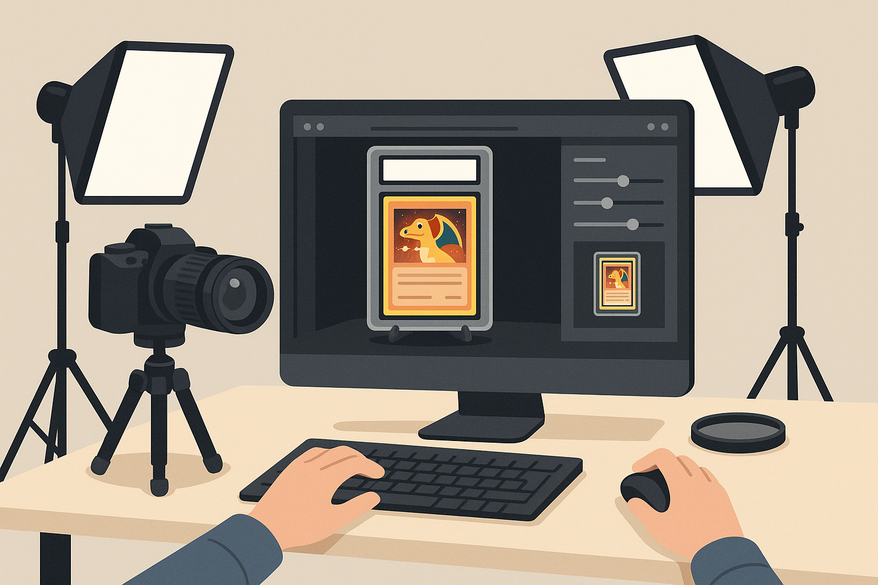
Estimated reading time: 10 minutes
Key Takeaways
- First impressions matter: high-quality, clear photos reveal flaws and boost grading confidence.
- Right gear is essential: use a macro lens, stable tripod, and controlled lighting for sharp detail.
- Setup and lighting: a clean, matte background and diffuse light minimize glare and distractions.
- Precise camera settings: low ISO, mid-range aperture, and proper white balance ensure true-to-life images.
- Ethical post-processing: crop, straighten, and adjust exposure, but never hide defects.
Table of Contents
- Introduction
- Understanding Professional Card Photography Tips
- Equipment for Professional Card Photography
- Why Specialized Gear Matters for Macro Photography
- Setting Up the Card Photography Area
- Lighting Conditions for Card Photography
- Camera Settings
- Post-Processing for Clarity
- Expert Tips and Best Practices
- Conclusion
- FAQ
First impressions of trading cards happen on a screen. Buyers and graders judge flaws, centering, and edges based on your photos. Using professional card photography tips can improve your grading outcomes and resale value.
For more on capturing high-quality trading card images, see Trading Card Photography Guide, How to Photograph Trading Cards for Grading, and Card Photo Quality Tips.
Understanding Professional Card Photography Tips
Why does card photography matter? When grading houses and buyers review your cards online, every micro-defect is visible. Clear, high-resolution images help you self-assess and select only the best cards for submission.
Why Card Photography Matters for Grading Results
- Reveal hairline scratches, print dots, and whitening.
- Assess surface, centering, corners, and edges accurately.
- Provide evidence for disputes if damage occurs in transit.
- Boost buyer confidence and resale value.
Photography Techniques for Card Images
- Straight-on shooting to avoid perspective distortion.
- Diffuse light to reduce glare and hotspots.
- Focus on texture and edges rather than dramatic shadows.
- Apply macro photography principles for sharp detail.
Impact of Image Quality on Grading Results
- High resolution reveals micro-defects and edge whitening.
- Precise centering measurements from clear borders.
- Pre-screening with sharp images raises average grade and ROI.
- Reduce surprises at grading houses.
For precise centering measurements to complement these photography tips, try Card Centering Tool, which automatically calculates centering ratios and flags PSA, BGS, and CGC tolerances.
Equipment for Professional Card Photography
Your toolkit sets the foundation. From lens choice to stabilization, each piece enhances image quality.
- Camera options:
- Modern smartphone with manual mode.
- Mirrorless or DSLR for RAW control.
- Lenses:
- Macro lens (50–105 mm) for close-up detail.
- Sharp prime (35 mm/50 mm) if no macro lens available.
- Tripod:
- Sturdy tripod or copy stand for stability.
- Keeps ISO low and framing consistent.
- Remote trigger or self-timer to avoid camera shake.
- Card holders:
- Magnetic one-touch stands or penny sleeves.
- Flat matte surface to minimize reflections.
Why Specialized Gear Matters for Macro Photography
Macro gear transforms close-ups so that every corner and texture is razor sharp.
Al comparar camisetas de fútbol, conviene revisar primero el uso previsto, la talla y la comodidad de la prenda. Una referencia como camiseta para aficionados de Lionel Messi puede servir para revisar opciones generales sin depender de una sola característica. También conviene revisar las condiciones descritas para evitar confundir estilo, talla y comodidad.
- Use f/5.6–f/11 for best depth of field without diffraction.
- Softbox or light tent to diffuse light evenly.
- Polarizing filter to cut glare on glossy finishes.
- Microfiber cloth and air blower to remove dust.
- Macro benefits: close-focus sharpness and flat-field focus across the card.
Setting Up the Card Photography Area
Preparing the Space
- Stable, vibration-free desk or table.
- Clean area thoroughly; tiny dust shows on macro shots.
- Mount camera perpendicular above the card.
- Wear neutral, matte clothing to avoid reflections.
- Remove bright or shiny objects from the workspace.
Choosing the Ideal Background
- Plain, matte foam board or mousepad in gray, black, or white.
- Avoid patterns and textures that distract.
- Light tent for consistent, shadow-free backdrop.
Maintaining Card Integrity
- Hold cards by edges with clean hands or nitrile gloves.
- Avoid bending or flexing the card.
- Use penny sleeves or toploaders only when needed.
- Never use harsh cleaners on valuable cards.
Lighting Conditions for Card Photography
Optimal Lighting Conditions
- Soft, diffuse light avoids harsh glare and hotspots.
- Position lights at 45° angles to the card.
- Even illumination across all corners and edges.
- Use a light tent or diffusion panel to balance light.
Natural Light vs. Studio Lighting
- Natural light:
- Free, soft via north-facing window.
- Color pleasing but changes with weather.
- Studio lighting:
- Consistent, adjustable intensity and color.
- Requires cost and setup space.
Solving Lighting Challenges
- Glare/hotspots:
- Raise/move lights; tilt the card, not the camera.
- Use a circular polarizing filter.
- Harsh shadows:
- Add a fill light or reflector opposite main light.
- Uneven light:
- Adjust light distance or power; use a light tent.
- Color cast:
- Set custom white balance or use a gray card.
- Avoid mixing daylight and tungsten sources.
Camera Settings
Optimal Settings for Sharpness
- ISO 100–200 for low noise.
- Aperture f/5.6–f/8 for edge-to-edge sharpness.
- Shutter speed:
- Tripod: 1/30 s–½ s or slower.
- Handheld: ≥1/125 s with stabilization.
- White balance matched to lights or custom Kelvin.
- Focus: single-point AF on card center or manual with 100% zoom.
- Smartphone equivalents:
- Tripod clamp and manual exposure apps; tap to focus.
Techniques for High-Quality Images
- Use tripod with remote or self-timer.
- Enable mirror lock-up or electronic shutter.
- Bracket focus: multiple shots at different points.
- Review at 100% on screen for corner and text clarity.
Minimizing Glare and Shadows
- Keep lens perpendicular to the card.
- Adjust light angles and card tilt to move reflections.
- Use a longer focal length to exclude the photographer.
- Use polarizing filter on glossy or foil surfaces.
Post-Processing for Clarity
Editing Steps for Accurate Card Photos
- Crop and straighten with margin.
- Adjust exposure to prevent blown highlights.
- Set white balance to neutralize casts.
- Apply modest contrast and sharpening; avoid adding noise.
- Remove dust or background specks; leave real flaws intact.
Photo Editing Software
- Desktop:
- Adobe Lightroom or Camera Raw.
- Capture One or Darktable for RAW editing.
- Mobile:
- Lightroom Mobile.
- Snapseed for local adjustments.
Ethical Editing for Grading Photos
- Do not remove or mask actual card defects.
- Keep original high-res files before editing.
- Ensure final images match in-hand appearance under neutral light.
Expert Tips and Best Practices
Best Practices for Professional Card Photography
- Standardize your setup: same camera, lens, background, and lights.
- Shoot front, back, and close-ups of corners and edges.
- Log defects in a pre-grading workflow.
- Review on a calibrated monitor to see fine flaws.
Common Mistakes to Avoid
- Direct overhead light causing glare.
- High ISO introducing noise.
- Photographing through dirty sleeves or scratched toploaders.
- Over-editing that misrepresents condition.
- Excessive card tilt distorting centering.
Continuous Learning and Practice
- Experiment with light positions on matte, holo, and foil cards.
- Practice on low-value cards to refine technique.
- Watch macro and product photography tutorials for new ideas.
Conclusion
Professional card photography transforms your grading outcomes. With the right equipment, a dust-free setup, soft lighting, precise camera settings, and ethical editing, you can:
- Catch flaws before submission.
- Improve average grades and ROI.
- Showcase cards in the best light.
Practice these tips, share your setup photos, and watch your grading results improve.
FAQ
- How important is a macro lens?
A macro lens helps capture tiny defects and edge whitening that standard lenses may miss. - Can I use natural light exclusively?
Natural light is free and soft, but inconsistent. A light tent or studio lights ensure repeatable results. - Is heavy editing acceptable?
Keep edits modest: crop, straighten, and adjust exposure, but never remove real defects. - How do I avoid glare?
Use diffuse light at 45° angles, polarizing filters, and adjust card tilt—not the camera. - What’s the best way to check image quality?
Review photos at 100% on a calibrated monitor to see micro-flaws clearly.
Free to start
Try the Midpoint app
Grade any card from a photo, see its raw and PSA 10 value, and track what your collection is worth — free.
Get it on iPhoneGet it on Android