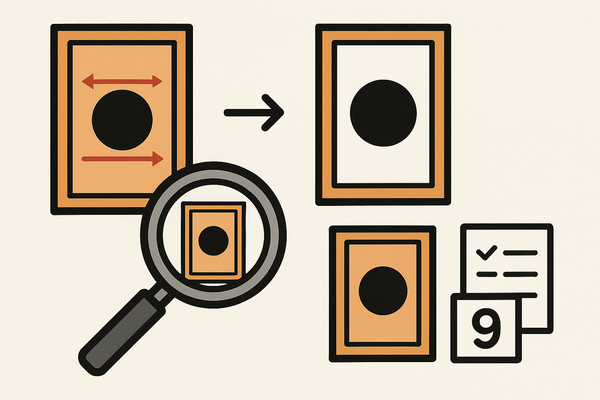
Card Centering Analyzer Tutorial: Your Complete User Guide
Learn to use a card centering analyzer effectively for precise measurements, grade predictions, and enhanced workflows in this comprehensive tutorial.

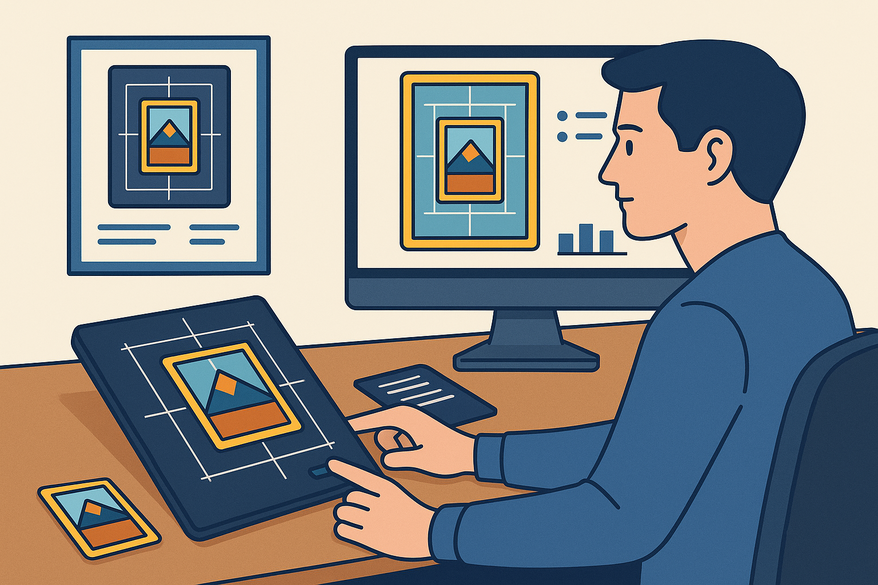
Estimated reading time: 10 minutes
Key Takeaways
- Objective centering measurement is critical for card grading and can cap your final grade.
- The Card Centering Tool offers automatic and manual border detection with sub-millimeter precision.
- Step-by-step workflow covers capture, analysis, manual adjustment, and grade simulation for front and back sides. For a more detailed walkthrough, see our step-by-step user guide for perfect alignment.
- Advanced features include AI-assisted detection, batch processing, and custom grader profiles.
Table of Contents
- Introduction
- Overview of the Card Centering Analyzer
- Getting Started
- Step-by-Step Tutorial
- Advanced Features & Customization
- Common Issues & Troubleshooting
- Conclusion & Additional Resources
- Call to Action
- FAQ
Introduction
"A card centering analyzer is a specialized tool that measures how evenly the printed image is positioned within a trading or sports card’s borders," providing precise left-right and top-bottom centering ratios. This tutorial walks you through installation, basic use, advanced features, and troubleshooting. Centering analysis matters because it is a critical sub-score in grading (often 60/40 or 55/45 thresholds) that can cap your overall grade even when corners and edges are perfect.
For those looking for a precise, web-based solution, check out Card Centering Tool, a web app that measures your trading card's centering with sub-millimeter precision before you submit for grading.
Overview of the Card Centering Analyzer
This section defines core functions and real-world scenarios for the card centering analyzer.
Primary Functions
- Automatic or manual edge detection using algorithms like Sobel or AI-based routines
- Border ratio calculation for left vs right and top vs bottom margins
- Grade estimation mapping to PSA, BGS, CGC, SGC, TAG, ACE grading scales
Common Use Cases
- Sports & trading card grading (Pokémon, One Piece, baseball)
- Pre-grading selection for PSA/BGS submission
- Print quality control in custom and mass-production runs
- Verifying centering for high-value listings on marketplaces
Key Benefits
- Objective measurement over eyeballing for consistent centering results
- Grade prediction under different standards (e.g., PSA 10 vs PSA 9)
- Time savings by filtering off-center cards early
- Reduced grading fees by avoiding submissions that cannot meet centering thresholds
For a detailed manual approach, see detailed manual approach.
Getting Started
Accessing & Installing the Tool
Mobile (Android/iOS)
– Open Google Play or App Store
– Search “Card Centering Calculator”
– Install and open the app
Web
– Navigate to the centering analyzer at cardgrade.io or pricecharting.com
– Grant file upload or camera permissions
Basic Setup & Initial Configuration
- Input method: choose camera scan or photo upload
- Select card type or grading standard (e.g., Pokémon vs sports; PSA vs BGS)
- Configure display: percentages (60/40), raw mm, theme, language
User Interface Overview
- Main capture area: shows the card image
- Detection overlays: bounding boxes for outer edges and inner printed area
- Manual guide controls: drag handles for precise border alignment
- Measurement panel: LR and TB ratios displayed numerically
- Grade estimation panel: potential grades under major grading companies
- Settings icon: access advanced options
Use an annotated screenshot here to label each UI element.
Step-by-Step Tutorial
Step 1: Capture or Upload the Card Image
- Place the card on a flat, non-reflective surface with a solid background
- Remove sleeves/top loaders for border clarity
- Ensure even, diffused lighting; position camera at 90°
- Capture full card with a small margin around edges
- Upload image or let app capture; web tools often require front first then back
Step 2: Automatic Border Detection
- The tool applies Sobel edge detection or AI to locate outer and inner borders
- Guides or bounding boxes auto-placed around detected edges
- Proceed if accurate; otherwise adjust manually
Step 3: Manual Guide Adjustment
- Zoom in and drag guides to align precisely on visible card and print borders
- Adjust inner image guides if printed area measured separately
- Use perspective-correction features if available
Step 4: Review Centering Ratios
- Tool calculates LR and TB ratios (e.g., left 1.8 mm vs right 1.2 mm → 60/40)
- Example output: “LR 60/40, TB 55/45”
Step 5: Front and Back Combined Analysis
- Upload both sides; compute separate ratios for front and back
- The weaker side determines the centering verdict
- Highlights which side limits the possible grade
Step 6: Interpret Potential Grades
- Map ratios to thresholds for PSA, BGS, CGC, SGC, TAG, ACE
- Decide submission strategy based on grade simulation
For PSA 10 thresholds see PSA 10 thresholds and for a comparison across graders see comparison across graders. For a comprehensive step-by-step user guide, check out our Comprehensive Card Centering Analyzer Tutorial.
Practical Examples
Example 1: Pre-grading a Pokémon card
– Capture front/back; run auto detection
– Adjust guides; note if both sides meet PSA 10 (60/40)
– Proceed only if centering meets target thresholds
Example 2: Quick collection sort
– Use off-center presets (65/35, 75/25) for a visual filter
– Exclude cards matching off-center overlay before deep analysis
Tips & Best Practices
- Take multiple photos for consistency
- Avoid sleeves unless supported
- Verify auto-detection with a quick manual check
- Double-check both sides for high-value cards
Advanced Features & Customization
Advanced Functionalities
- AI-Assisted Detection: real-time border finding with machine learning
- Off-Center Visualization: pick any ratio to see colored overlays
- Scanner Integration: dedicated hardware for leveled captures
- Batch Processing: sequential analysis for inventory and QA
Customization Settings
- Detection sensitivity: tweak for faint or busy borders
- Grader profiles: set custom thresholds per grading company
- Display modes: numeric, color-coded or overlaid on card image
Example Scenarios
- QA on custom print run: flag cards worse than 60/40 and export pass/fail report
- Compare PSA vs BGS centering strategies for borderline cards
Troubleshooting Advanced Issues
- Adjust sensitivity or switch to manual guides for misplacements
- Use perspective-correction to fix skewed captures
- Re-capture if front/back verdict seems inconsistent
Common Issues & Troubleshooting
Common Problems
- Inaccurate border detection → wrong guides and ratios
- Inconsistent readings across photos
- Struggles with foil, dark, or borderless designs
- Front/back mismatch limits combined grade
Solutions
- Improve photo conditions: flat background, even lighting, top-down capture
- Use manual guide adjustment and zoom for weak borders
- Take multiple shots; choose the most consistent result
- Verify front and back centering separately
Conclusion & Additional Resources
This card centering analyzer tutorial has covered objective measurement, grade prediction, effective workflows, and advanced customization. Good image capture, auto + manual guides, and front/back checks ensure accurate centering analysis. For more on achieving perfect card centering, see our step-by-step user guide for perfect card centering.
Call to Action
We hope this guide helps you grade and design cards with confidence. Please share feedback on clarity or topics to expand. Contact our support team at the developer email found on the Card Centering Calculator listing for technical help. Share this guide with fellow collectors and designers on forums and social media to improve collective grading accuracy.
FAQ
- Why is my centering grade lower than it looks?
- Grading companies use strict numeric thresholds on both sides; minor millimeter differences can cap your centering sub-score.
- Can I use a sleeved card?
- Remove sleeves; reflections or added thickness disrupt border detection.
- Why do different tools disagree?
- Tools vary by edge detection algorithms, rounding rules, and border definitions; manual guides ensure precision.
- Does centering alone determine overall grade?
- No. Corners, edges, and surface quality also matter, but poor centering can cap the maximum grade.