Comprehensive Card Centering Analyzer Tutorial: A Step-by-Step User Guide
Learn how to use a card centering analyzer effectively before grading. This tutorial covers installation, configuration, measurements, and advanced features.

Estimated reading time: 7 minutes
Key Takeaways
- Understand how a card centering analyzer measures border ratios and predicts grading outcomes.
- Learn step-by-step installation and configuration for both mobile and web tools.
- Master accurate scanning techniques and manual adjustments for precise centering.
- Troubleshoot common detection issues and apply best practices for reliable results.
- Explore advanced features, custom profiles, and batch workflows to optimize your grading process.
Table of Contents
- Introduction
- Overview of the Card Centering Analyzer
- Prerequisites
- Step-by-Step Tutorial
- Troubleshooting
- Advanced Tips and Customization
- Conclusion & Call-to-Action
- FAQ
Introduction
This tutorial walks you through measuring and improving card centering before submitting for grading. You’ll set up your card centering analyzer, run tests, and interpret results to avoid off-center submissions and extra fees.
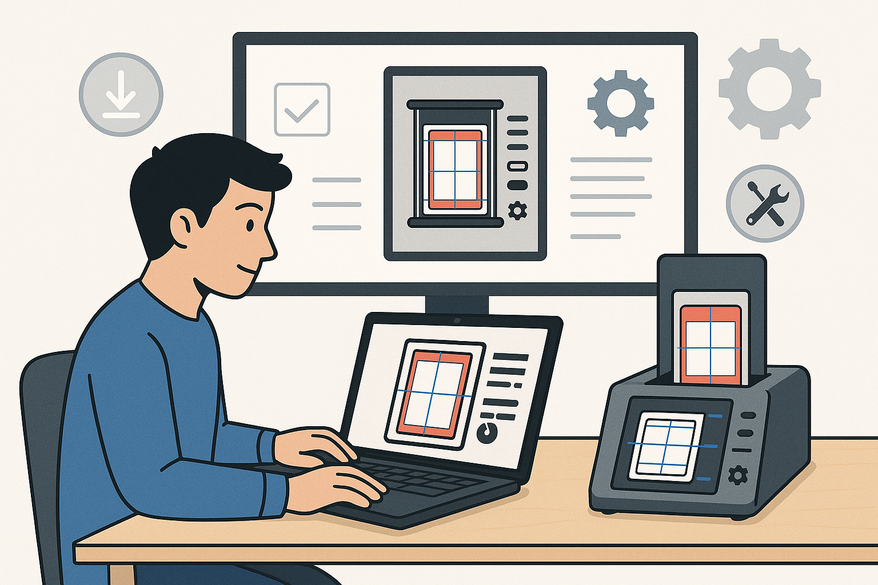
For an even more streamlined pre-grade check, try Card Centering Tool. Below is a quick preview of the web app:
Overview of the Card Centering Analyzer
What is a card centering analyzer?
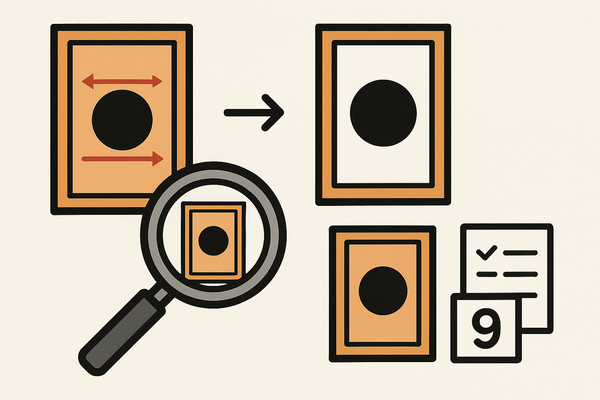
A card centering analyzer is a tool—app or web-based—that measures border widths on trading card images and converts them into ratios like 55/45 or 60/40. It helps you spot off-center cards before grading. For more on measuring centering by hand versus tools, see our detailed guide.
Core Technology
- AI-driven border detection with manual adjustment options
- Separate front and back analysis with combined grading verdict
- Grade estimates for PSA, BGS, CGC, SGC, TAG, and ACE
Why centering matters
Strict centering rules can make or break a top grade. A centering analyzer helps you:
- Avoid low centering grades that hurt your overall score
- Compare standards across PSA, BGS, CGC, SGC, TAG
- Make smarter buying, selling, and grading decisions
Learn how improved centering can save grading fees.
Prerequisites
- Device:
- Smartphone (iOS/Android) with “Card Centering Calculator” app
- PC or Mac with a modern browser for CardGrade’s online tool
- Imaging:
- Phone camera or flatbed scanner for straight, glare-free shots
- Card prep:
- Remove sleeves; use a solid, non-reflective background
Step-by-Step Tutorial
- Installation & Configuration
- Mobile App (Card Centering Calculator):
- Open App Store or Google Play
- Search for “Card Centering Calculator” and install
- Grant camera/gallery permissions
- Choose grading companies (PSA, BGS, CGC, SGC, TAG, ACE)
- Adjust detection sensitivity and color themes
- Web Tool (CardGrade):
- Visit the centering page
- Follow upload guidelines: solid background, straight-on shots
- Enable advanced precision tools if available
- Mobile App (Card Centering Calculator):
- Connecting & Calibrating
- Most mobile tools auto-calibrate—no extra steps required.
- For scanners or overlays:
- Place card level and straight
- Align thickest border to overlay markings
- Read ratio scale (e.g., 60/40, 55/45)
- Using the Interface
- Image Input: Buttons for camera scan or photo upload
- Auto-Detection Guides: AI-drawn borders and draggable lines
- Zoom Loupe: Pinch or click to zoom edges
- Output Display: Left/right and top/bottom ratios plus grade estimates
- Advanced Settings: Off-center visualization, themes, front/back analysis
- Centering Workflow
- Prepare the card: clean surface, remove sleeves.
- Capture/upload image: avoid tilt, shadow, and glare.
- Auto-detect borders: switch to manual if misaligned.
- Drag guides to border edges; use zoom for precision.
- Review ratios: check against PSA/BGS/CGC thresholds.
- Analyze front & back: combined mode highlights the limiting side.
- Batch-sort cards by centering quality for submission.
Best Practices:
- Capture multiple images for consistency
- Keep camera perfectly square to the card
- Use high-contrast backgrounds
- Batch-process for faster grading prep
If you want a comprehensive walkthrough of each step, check out your complete guide to perfect centering for more detail. For a complete overview, see the ultimate step-by-step guide to using a card centering analyzer. For a full-featured, stepwise approach, you can also follow this complete card centering analyzer tutorial for additional clarity. If you want a focused, step-by-step user guide for perfect card centering, see this Card Centering Analyzer Tutorial.
Troubleshooting
Common Issues & Fixes
- Skewed detection (angle or glare):
Retake straight-on with a plain background. - Borders not recognized (low contrast):
Use manual guides and zoom in. - Inconsistent results:
Capture several shots; choose the most stable. - Front/back variance:
Use combined analysis to identify the limiting side.
For more on common alignment pitfalls, check our guide.
Advanced Tips and Customization
- Custom Grading Profiles: Compare PSA vs. BGS vs. CGC standards in real time.
- Off-center Visualization: Load examples like 65/35 or 75/25 to train your eye.
- Batch Workflows: Scan or upload multiple cards; auto-sort by score.
- Card Type Sensitivity: Adjust for thin-border sports or full-art TCG cards.
- Integration Options: Link results to collection trackers or submission tools.
Conclusion & Call-to-Action
This card centering analyzer tutorial has guided you through installation, configuration, precise measurements, troubleshooting, and advanced workflows. By mastering these steps, you’ll avoid off-center submissions, maximize PSA/BGS/CGC grades, and streamline your grading process. For a more in-depth walkthrough, see your complete user guide to the Card Centering Analyzer or explore our step-by-step guide to accurate grading prep. You can also follow our complete guide to perfect centering for additional insights. For a full overview, check out the ultimate step-by-step card centering analyzer tutorial. If you're looking for a comprehensive, all-in-one walkthrough, don't miss the ultimate card centering analyzer tutorial for a complete step-by-step guide. For those seeking a step-by-step guide for perfect grading, see this Card Centering Analyzer Tutorial.
Ready to get perfect ratios? Try this tutorial on your next batch and leave a comment with your results or questions. Subscribe for more guides and strategies!
FAQ
Q: Do I need expensive hardware?
A: No. A modern smartphone or browser and a decent camera are all you need.
Q: Can it guarantee a PSA grade?
A: No. It only estimates centering; final grade also considers corners, edges, and surface.
Q: How is centering calculated?
A: Ratio = smaller border ÷ total width (e.g., 1.2 ÷ 3.0 = 40/60).
Q: Can I analyze front and back together?
A: Yes. Some tools combine uploads to show which side limits centering.