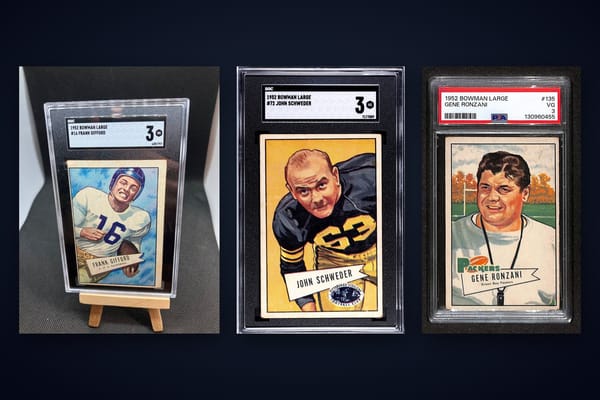
How to Submit Cards to PSA: The Complete Grading Guide
Learn how to submit cards to PSA, step-by-step. Get tips on grading, packaging, service tiers, fees, and how to use Midpoint to estimate grades before you submit.


Estimated reading time: 12 min
Key Takeaways
- Submitting cards to PSA involves careful preparation, correct form completion, and secure packaging.
- Choosing the right grading tier depends on your card’s value and desired turnaround time.
- Accurate card details and proper holders are crucial to avoid delays or damage.
- Tools like Midpoint can help estimate your PSA grade before you pay for grading.
- Tracking and insurance are highly recommended for safe delivery and peace of mind.
Wondering how to submit cards to PSA for grading? Whether you’re a seasoned collector or new to the world of trading cards, understanding the process ensures your valuable cards are graded efficiently and safely. This guide covers each step, explains how card grading works, compares PSA vs BGS vs CGC, and shows you how to get an idea of what grade your card might receive—before spending money on a submission.
Step 1: Understand How Card Grading Works
Card grading is the process of evaluating a card’s condition and authenticity, assigning it a grade, and encapsulating it in a tamper-proof holder. The main grading companies—PSA, BGS (Beckett), CGC, SGC, and TAG—each have their own scales and standards, but all focus on four subgrades:
- Centering: How well the image is aligned on the card. Poor centering can lower the grade.
- Corners: Sharpness and wear on the corners. Blunted or dinged corners may reduce the grade.
- Edges: Clean, unfrayed edges are preferred. Any whitening or nicks can be penalized.
- Surface: Scratches, stains, print defects, or indentations can lower the grade.
PSA uses a 1-10 scale, with PSA 10 labeled “Gem Mint.” BGS and CGC also have subgrades (9.5 “Gem Mint”, 10 “Pristine”). Differences in scales and labels can affect value; see this comparison of grading scales for a detailed breakdown.
Step 2: Decide If Your Cards Are Worth Grading
Not every card is worth the grading fee. Consider:
- Current market value (raw vs. graded)
- Potential grade (PSA 9 vs PSA 10 can mean a significant value difference)
- Personal or insurance reasons
- Population reports (rarity in high grade)
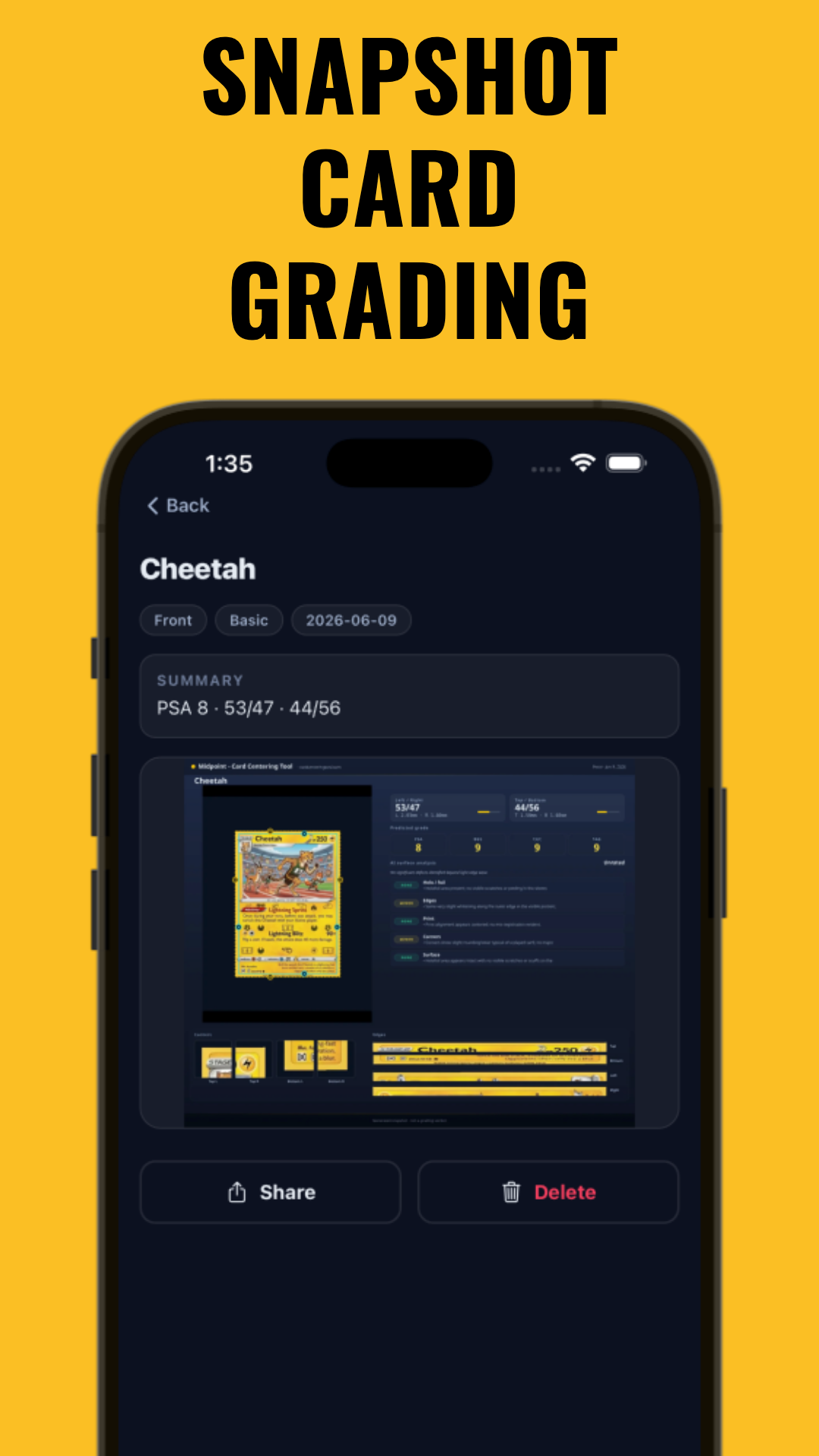
Use a card grading app like Midpoint to estimate your card’s PSA, BGS, CGC, or TAG grade using AI before submission. This can help you determine if grading is likely to increase your card’s value. Read this guide on how to pre-grade your card for step-by-step tips.
Step 3: Create a PSA Account and Start Your Online Submission
Visit the PSA website and create a free account. Once logged in, go to the Submission Center and select “Start New Submission.” Choose the “Trading Card Grading” service for most cards.
- Input your contact details and shipping address carefully.
- Choose your submission type: Regular, Crossover, Reholder, etc.
- Read and accept PSA’s terms and conditions.
The Submission Center will walk you through each step, including selecting service level and entering card details.
Step 4: Choose the Correct Service Level or Grading Tier
PSA offers several grading tiers based on declared value (what the card would sell for today) and desired turnaround time. As of 2024, options include:
- Value/Bulk: For lower-value cards (up to $499 declared value/card), slowest turnaround, lowest price per card (check PSA site for current minimums and pricing).
- Regular/Express/Super Express: For mid-to-high value cards ($500–$4,999+), faster turnaround, higher fee.
- Walk-Through/Premium: For ultra-high-value cards (over $5,000), fastest service, premium costs.
Always check the official fee schedule for current prices, as fees and turnaround times can change. Carefully select the tier that matches your card’s value—overstating or understating can delay your submission or risk upcharges.
- If you’re unsure how much your card is worth, use Midpoint’s card lookup or PSA’s price guide.
Step 5: Enter Card Details Accurately
For each card, you must enter:
- Year
- Set (e.g., Pokémon Base Set, 1996 Topps Baseball)
- Player/Character Name
- Card Number
- Declared Value
Double-check for typos and accuracy. Incorrect or missing information can result in grading delays, errors on your label, or even card returns. PSA’s database will auto-suggest options for many sets and cards.
Print your finalized submission form and invoice. You’ll need to include these in your package.
Step 6: Prepare Cards for Grading (Sleeves and Holders)
PSA requires cards to be submitted in a new, clean “penny sleeve” and inserted into a semi-rigid holder (like Card Saver I). Do NOT use top loaders, magnetic cases, or screwdowns—these may be rejected or returned.
- Gently insert each card into a penny sleeve (avoid fingerprints or bending).
- Slide sleeved card into a Card Saver I semi-rigid holder.
- Do not tape, label, or alter the holders in any way.
If you have multiple cards, keep them in the exact order as listed on your submission form.
Step 7: Package Cards Securely for Shipping
Proper packaging helps prevent damage in transit:
- Stack cards in the same order as the form. Use a team bag or resealable sleeve to keep them together.
- Wrap the stack with bubble wrap or foam for padding.
- Place your printed submission form and invoice on top or in a side pocket.
- Use a sturdy box—not an envelope—to ship your cards. Fill any empty space with more padding so cards do not shift.
- Seal the box securely with strong packing tape.
Include no extra items or notes inside. Mark your box with your submission number if instructed.
Step 8: Choose Shipping Method, Insurance & Tracking
Shipping valuable cards requires care:
- Use a trackable shipping service (USPS Priority, FedEx, UPS, etc.).
- Purchase insurance equal to your shipment’s declared value.
- Keep your tracking number and shipping receipt until PSA confirms receipt.
PSA’s main receiving address is listed on your confirmation email and submission form. Double-check for any updates before shipping. You can also submit at trade shows, drop-off booths, or via authorized dealers (see FAQ below).
Step 9: Track Your Submission and Monitor PSA Status
Once shipped, log in to your PSA account to monitor status:
- “Arrived” means PSA has received your package.
- “Entered” means your cards are logged into the PSA system for grading.
- “In Process,” “Assembly,” and “Shipped” indicate progress through grading and encapsulation.
Turnaround times vary by service level and PSA backlog—check PSA’s current estimates before submitting. You’ll receive email updates and can track status online. For insurance and market value implications of your card’s final grade, see this guide on how card grade impacts insurance value.
Tips & Common Mistakes
- Never use top loaders or magnetic holders. Only Card Saver I semi-rigids are accepted by PSA.
- Don’t forget to include all forms and barcodes in your package.
- Double-check your card order matches the submission form exactly.
- Don’t overstate or understate declared value. This can cause delays or upcharges.
- Research which cards are worth grading. Use AI tools like Midpoint for pre-grading and centering measurement. For more, read how centering impacts card value.
Want to know what grade your card might get before spending on grading? Try Midpoint—an app for card grading estimates, centering analysis, and value tracking.
Conclusion
Submitting cards to PSA is widely regarded as a way to maximize your trading card’s value and authenticity. By following these steps—pre-grading with a card grading tool, preparing your submission correctly, choosing the right tier, and packaging with care—you can avoid common pitfalls and help ensure your cards are returned safely, graded, and ready for your collection or sale. Always check PSA’s website for the latest fees and instructions, and consider using digital tools like Midpoint to streamline your grading journey.
FAQ
- How do I submit cards to PSA for grading for the first time?
Create a PSA account, start an online submission, enter card details, select your service level, print your forms, prepare cards in penny sleeves and Card Saver I holders, package securely, and ship with tracking and insurance. See full steps above. - What is the correct way to package cards for PSA submission?
Place cards in penny sleeves and Card Saver I semi-rigid holders, keep them in the form order, wrap in padding, use a sturdy box, include all forms, and seal securely. Never use top loaders or envelopes. - What holder does PSA require: Card Saver or top loader?
PSA requires cards in semi-rigid holders like Card Saver I, not top loaders, magnetic cases, or screwdowns. - How do I choose the right PSA grading tier or service level?
Base your choice on your card’s declared value and how quickly you want it graded. Value/Bulk is for lower-value cards, while Express and higher tiers are for expensive or urgent submissions. Always check PSA’s current fee schedule. - Where do I ship cards to PSA and do I need insurance?
Ship to the PSA address printed on your submission form. Always use tracked shipping and insure your package for its full value. - Can I submit PSA cards through a dealer, card show, or drop-off location?
Yes, PSA accepts submissions through authorized dealers, at major card shows, and at designated drop-off booths. Check PSA’s website for current partners and event schedules.
Free to start
Try the Midpoint app
Grade any card from a photo, see its raw and PSA 10 value, and track what your collection is worth — free.
Get it on iPhoneGet it on Android