Will This Card Grade a 10? How to Check Condition for PSA, BGS, and CGC
Will this card grade a 10? Learn how to check card condition, centering, corners, and surface flaws before submitting to PSA, BGS, or CGC.

Estimated reading time: 14 min
Key Takeaways
- Achieving a PSA 10 (or equivalent) requires near-perfect centering, corners, edges, and surface.
- Pack-fresh cards can still miss a 10 due to factory flaws like print lines or minor whitening.
- Pre-grading at home involves proper lighting, magnification, and understanding grading standards.
- Each grading company (PSA, BGS, CGC, SGC) has unique tolerances and criteria for Gem Mint grades.
- AI tools like Midpoint can help assess condition and centering before you submit.
Table of Contents
- Section 1: What Does 'Will This Card Grade a 10' Really Mean?
- Section 2: Grading Standards—PSA 10, BGS 10, CGC 10, SGC Gold Label
- Section 3: How to Inspect Cards Before Grading
- Section 4: The Big Four—Centering, Corners, Edges, and Surface
- Section 5: Common Flaws That Prevent a 10
- Section 6: Pre-Grading at Home—Tools, Lighting, and Checklists
- Section 7: Grading Company Differences & Market Value Impact
- Section 8: Digital Grading with Midpoint—Modern Tools for Collectors
- Conclusion
- FAQ
Section 1: What Does 'Will This Card Grade a 10' Really Mean?
Understanding the Gem Mint Standard
When collectors ask, "Will this card grade a 10?", they want to know if a trading card can earn a 'Gem Mint' grade from a major grading company like PSA, BGS, CGC, or SGC. A '10' is the highest regular grade—awarded only to cards that meet nearly perfect standards for centering, corners, edges, and surface. The value difference between a PSA 10 and a PSA 9 can be significant, especially for sought-after Pokémon, sports, or TCG cards.
Why the Standard is So Strict
Grading companies know that a Gem Mint card often becomes the hobby's gold standard. This drives strict criteria: even minor flaws like a faint print line or a dot of whitening on the edge can knock a card down to a 9 or lower. Understanding these standards is crucial before submitting cards—especially given grading fees that can easily exceed $30 per card.
Why Not Every Pack-Fresh Card Earns a 10
- Factory damage (print lines, roller marks, centering issues) is common.
- Handling during packaging can cause corner wear or edge whitening.
- Some flaws are nearly invisible without magnification or proper lighting.
Knowing how to check card condition—and which flaws are critical—can save money and disappointment. For an in-depth step-by-step guide, see How to Pre-Grade Your Card: A Step-by-Step Guide.
Section 2: Grading Standards—PSA 10, BGS 10, CGC 10, SGC Gold Label
PSA 10 (Gem Mint) Tolerances
- Centering (Front): Must be 55/45 or better, meaning the border ratio side-to-side and top-to-bottom cannot exceed 55% to 45%.
- Centering (Back): Up to 75/25 is allowed for PSA 10, but front centering is prioritized.
- Corners: Should appear perfect to the naked eye—no whitening, dings, or bends.
- Edges: Free of chipping, nicks, or whitening.
- Surface: No scratches, print lines, dents, or stains visible under 5x magnification.
BGS 10 (Pristine) and Black Label
- BGS 10 Pristine: Centering 50/50 one way, 55/45 the other. Corners, edges, and surface must be flawless under close inspection.
- BGS Black Label: Requires perfect subgrades (10 in centering, corners, edges, and surface). Any flaw, even minor, prevents a Black Label.
CGC & SGC Gem Mint
- CGC: Centering must be 55/45 or better on the front and 75/25 on the back. Slight print defects may be forgiven for a 9.5 but not a 10.
- SGC Gold Label: Similar to PSA: 55/45 centering and very clean corners, edges, and surface.
For a comprehensive breakdown, see Grading Scale Differences by Company.
If you want to understand how each company compares side-by-side, our Card Grade Comparisons: PSA vs BGS vs CGC vs SGC Explained guide provides a detailed analysis of their grading scales and what it takes to achieve a 10 with each.
Section 3: How to Inspect Cards Before Grading
Lighting: The Foundation of Card Inspection
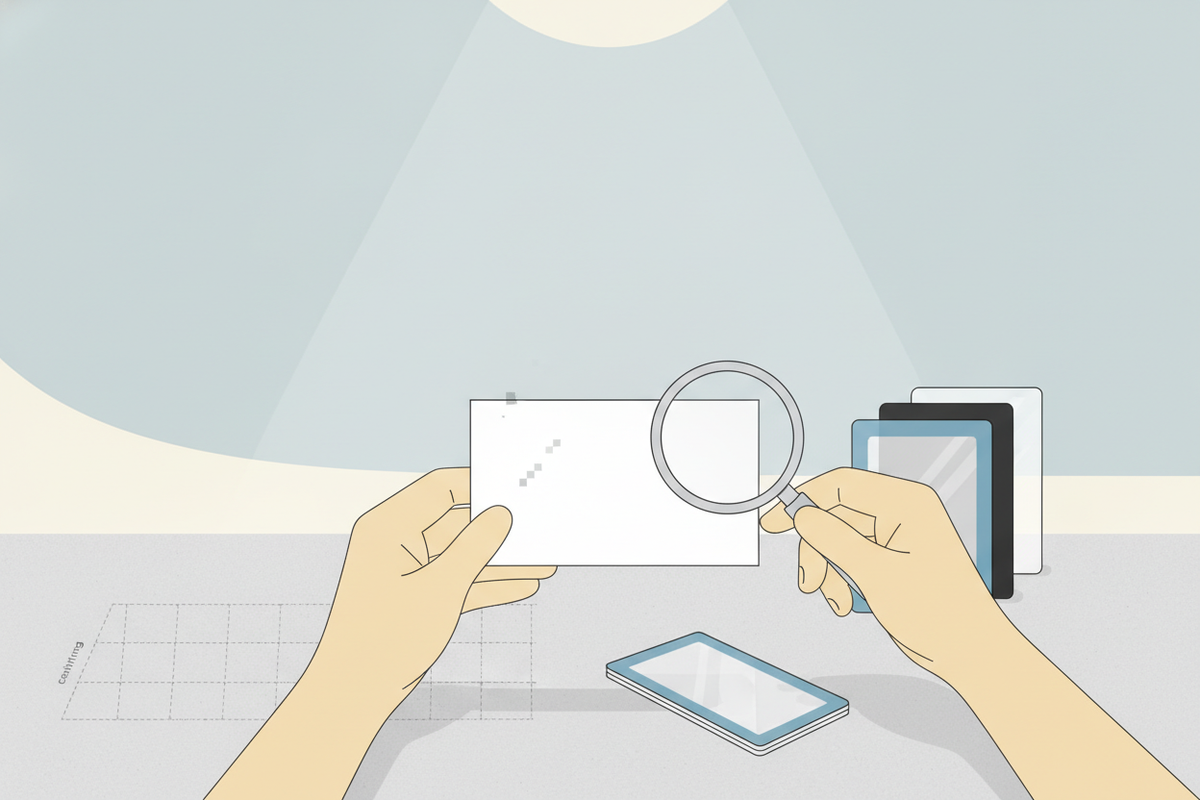
The best lighting for trading cards is bright, diffuse daylight or a high-CRI LED lamp. Avoid yellow, dim, or directional lighting, which can hide or exaggerate flaws. Use a clean, dust-free surface and wash your hands or wear gloves to avoid adding fingerprints.
Magnification: Loupes and Digital Tools
- Loupe (5x-10x): Reveals micro scratches, print lines, and tiny corner dings.
- Phone Macro Lens: Useful for photographing cards for grading or sharing with experts.
- AI Apps: Digital graders like Midpoint can analyze centering, corners, and edges for pre-grading estimates.
How to Photograph Cards for Grading
- Use indirect, even lighting to avoid glare and shadows.
- Hold the card by the edges and shoot flat on a white or black background.
- Focus on corners, edges, and surface close-ups—grading companies look for clear, detailed images.
For more tips, see How to Store Valuable Cards: The Ultimate Collector's Guide.
Section 4: The Big Four—Centering, Corners, Edges, and Surface
1. Centering: The Make-or-Break Factor
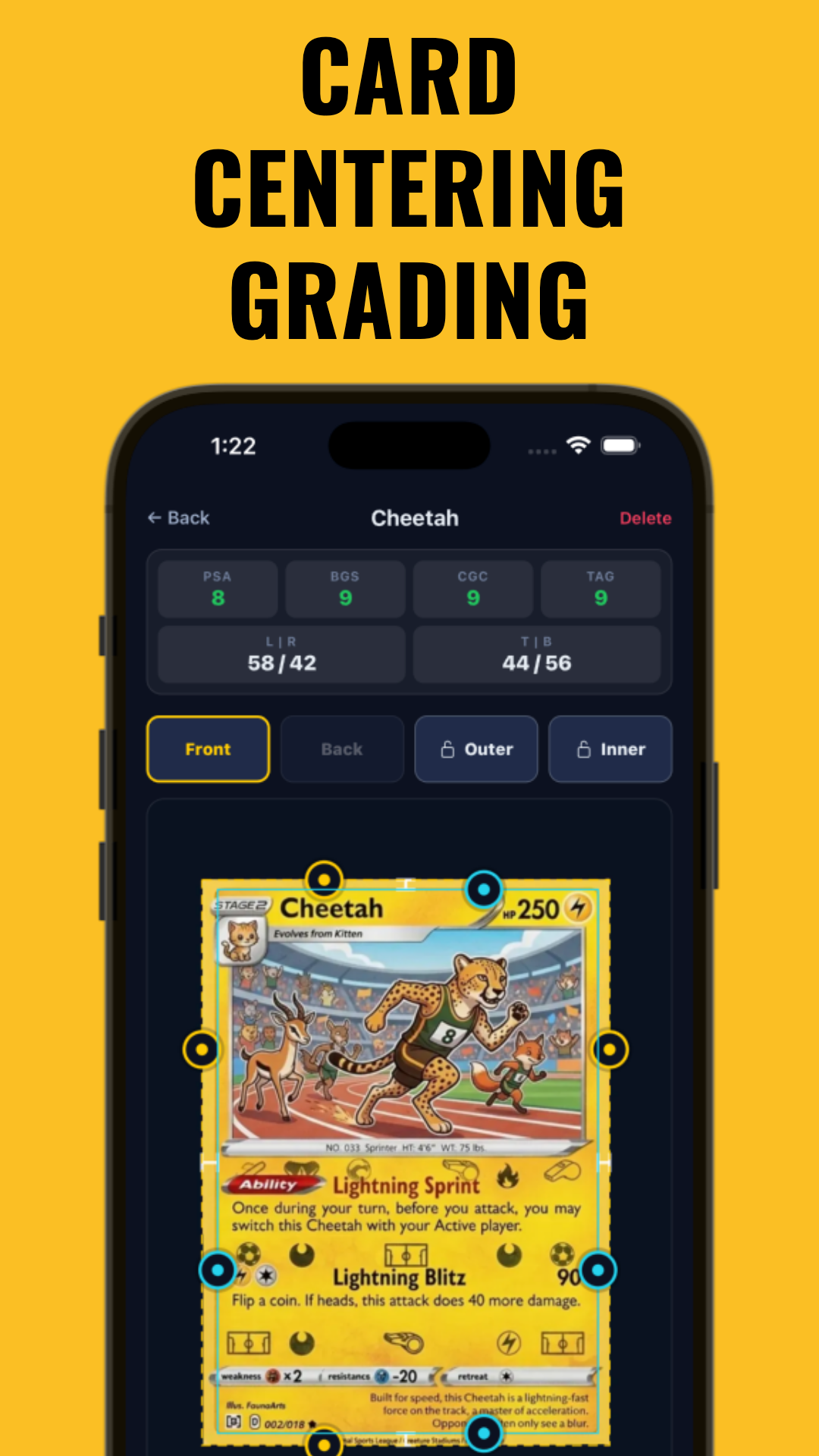
Centering measures the borders around your card’s artwork. PSA 10 allows up to 55/45 centering on the front, while BGS is stricter. Centering is measured by comparing the size of the borders (in mm or pixels) on opposite sides. An off-center card, no matter how clean, cannot be Gem Mint. For a comprehensive look at how centering is evaluated by each grading company, check out our Card Grading Centering Standards: PSA, BGS, CGC, SGC & TAG Compared guide.
- Use a ruler or digital tool like the Free Centering Calculator to check ratios.
- Some sets are known for poor centering—vintage sports and early Pokémon especially.
For a deep dive, see How Centering Impacts Card Value.
2. Corners: Tiny Flaws, Big Impact
- Sharp, square corners are essential for a 10 grade.
- Corner wear grading assesses even minimal whitening or "fuzzing"—especially common with pack-fresh cards.
- Use a loupe to check if corners are truly flawless or just appear clean at a glance.
3. Edges: The Subtle Killer
- Edge whitening on card sides—especially on dark-bordered cards—can lower the grade.
- Run a strong light along the edge to catch any chipping or scuffing.
- Edges are often damaged by sliding cards in and out of sleeves.
4. Surface: Print Lines, Dents, and Gloss
- What is surface damage on a card? Scratches, dents, print lines, roller marks, stains, gloss loss, and even tiny indents.
- Hold the card at an angle to the light to spot surface scratches or roller lines.
- Print lines on cards (horizontal or vertical) are factory flaws that often disqualify a card from a 10.
All four categories must be nearly perfect—one flaw is all it takes to downgrade a card.
Section 5: Common Flaws That Prevent a 10
Surface Flaws and Print Defects
- Scratches: Even faint ones visible under strong light or a loupe count.
- Print Lines: Factory lines in the foil or ink, especially on modern holographic cards.
- Dents/Indents: Small impressions, often from pack handling or pressure during shipping.
- Stains/Residue: Anything on the surface, even glue residue or ink spots.
- Gloss Loss: Dull or uneven coating is a disqualifier.
Wear on Corners and Edges
- Whitening: Tiny white spots or fuzz on corners or edges from handling or factory cuts.
- Chipping: Visible nicks along the card's edge—especially on colored or foil borders.
Centering and Miscuts
- Miscut Cards: Cards cut so poorly that part of another card appears, or border ratios exceed 60/40 (front) or 75/25 (back). Miscut cards may have value to error collectors, but do not grade a 10.
- Off-Center: Even if the card is otherwise flawless, off-center borders are an automatic downgrade.
Why Pack-Fresh Isn't Always Gem Mint
Most pack-fresh cards show at least one minor flaw: a print line, tiny whitening, or slight off-centering. This is why even "straight from the pack" doesn’t guarantee a 10. Only a small percentage of cards in any given print run will meet all Gem Mint requirements.
Section 6: Pre-Grading at Home—Tools, Lighting, and Checklists
The At-Home Grading Toolkit
- 5x-10x Loupe: Essential for corners, edges, and surface inspection.
- Daylight LED Lamp: Mimics grading-room lighting and reveals flaws.
- Soft, Clean Surface: Felt or microfiber mat to prevent new damage during inspection.
- Lint-Free Gloves (Optional): Prevents fingerprints, especially on glossy or foil surfaces.
- Digital Grading App: Tools like Midpoint offer instant centering and surface estimates, letting you pre-screen cards before expensive submissions.
Inspection Steps
- Wash hands and dry thoroughly.
- Examine the card under bright, even lighting—look for whitening, chipping, and corner wear.
- Use the loupe to check corners (all four), edges (all sides), and surface (front and back).
- Measure centering with a digital tool or ruler—calculate ratio to confirm within 55/45 for front and 75/25 for back.
- Photograph the card front and back for your records and further review.
Pre-Submission Checklist: Will This Card Grade a 10?
- No visible whitening, chipping, or corner fuzz
- Centering within documented tolerances
- No print lines, scratches, or dents on surface
- No stains, gloss loss, or residue
- Edges are clean, no nicks or scuffs
For expanded steps, see How to Pre-Grade Your Card: A Step-by-Step Guide.
Section 7: Grading Company Differences & Market Value Impact
PSA, BGS, CGC, SGC: How Standards Differ
- PSA: More forgiving on back centering (up to 75/25 for a 10), but very strict on surface and corners.
- BGS: Requires high subgrades; Black Label is extremely difficult to achieve. Subgrades break down centering, corners, edges, surface.
- CGC: Known for strict surface grading; subgrades available.
- SGC: Similar to PSA but with its own quirks—often a choice for vintage cards.
Raw vs Graded: Value Implications
- PSA 10 or BGS 10: Can significantly increase a card’s value compared to "raw" or ungraded versions.
- CGC 10s: Often slightly less valuable than PSA for now, but gaining ground in TCG markets.
- Subgrades: High subgrades on BGS/CGC can still carry a premium even if not a perfect 10.
Insurance, resale, and long-term value are all affected by grade. For more, see Card Grade Impact on Insurance Value.
Collectors’ Tip: Document Everything
- Keep high-resolution photos and pre-grading notes for every card—this helps with disputes and insurance.
Section 8: Digital Grading with Midpoint—Modern Tools for Collectors
AI Digital Grading: Instant Condition Estimates
Traditional grading requires shipping and long wait times, but modern collectors can now use AI digital grading tools like Midpoint. These apps analyze centering (down to the millimeter), corners, edges, and surface using your phone’s camera and algorithms. The result: an estimated grade for PSA, BGS, CGC, or TAG—before you spend money on submission.
How Midpoint Works
- Scan your card using your phone’s camera.
- The app automatically measures centering, inspects for whitening, chipping, print lines, and surface flaws.
- Get a breakdown of each category, plus an "Estimated PSA/BGS/CGC Grade"—which may help you decide if a card is worth sending in.
- Track your portfolio value and see raw vs graded card values across a large database of cards, including Pokémon, Magic, Yu-Gi-Oh, One Piece, Lorcana, and all major sports cards.
Midpoint’s centering and surface analysis can help answer the key question: Will this card grade a 10? Try the free centering calculator and digital grading features at Midpoint.
Conclusion
Getting a PSA 10, BGS 10, or CGC 10 is every collector’s goal—but the standards are exacting. Even a pack-fresh card can miss a 10 due to minor flaws like print lines, whitening, or slightly off-center borders. To maximize your chances, inspect cards under strong lighting, use magnification, and understand every grading category: centering, corners, edges, and surface. Digital tools like Midpoint can help you pre-grade at home, potentially saving money and avoiding disappointment.
For more in-depth tips, see our guides on accurate card grading estimates and how to pre-grade your card before submission. With the right tools and knowledge, you’ll be better equipped to answer: Will this card grade a 10?
FAQ
Q: What are the odds this card will grade a 10?
A: Odds vary by set and print run, but only a small percentage of pack-fresh cards achieve a true Gem Mint 10 due to centering, surface, and minor factory flaws. Exact percentages are not published by grading companies.
Q: What does a card need to be PSA 10?
A: A PSA 10 requires centering of 55/45 or better (front), clean corners and edges, and a flawless surface with no scratches, print lines, or whitening visible under 5x magnification.
Q: Can a pack-fresh card still fail to get a 10?
A: Yes. Factory issues like print lines, minor whitening, or off-center cuts are common even in brand-new cards, meaning pack-fresh does not guarantee a 10.
Q: How strict is PSA 10 centering?
A: PSA allows up to 55/45 centering on the front and 75/25 on the back for a 10, but stricter centering (closer to 50/50) is ideal. Anything beyond these tolerances drops the grade.
Q: What flaws disqualify a card from a 10 grade?
A: The most common disqualifiers are print lines, scratches, whitening on edges or corners, dents, chipping, miscuts, and surface stains or gloss loss.
Q: How do I check if my card will grade a 10 at home?
A: Use a daylight lamp, 5x-10x loupe, and a centering tool or app like Midpoint. Check for flawless centering, corners, edges, and surface with no visible flaws under magnification.
Free to start
Try the Midpoint app
Grade any card from a photo, see its raw and PSA 10 value, and track what your collection is worth — free.
Get it on iPhoneGet it on Android