Card Centering Analyzer Tutorial: A Step-by-Step User Guide
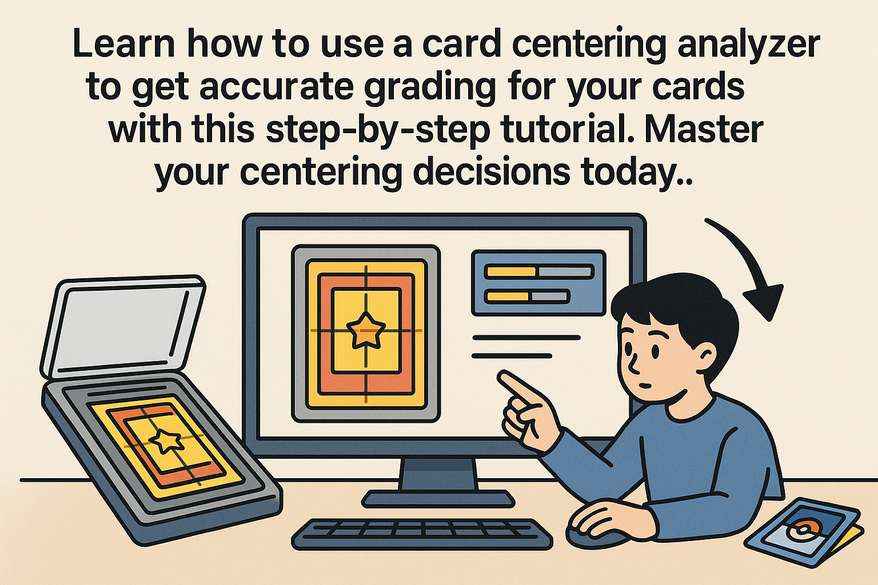
Learn how to use a card centering analyzer to get accurate grading for your cards with this step-by-step tutorial. Master your centering decisions today.

Estimated reading time: 12 minutes
Key Takeaways
- Precise centering ratios (e.g., 55/45 vs. 60/40) are critical for top grades from PSA, BGS, CGC, SGC, and TAG.
- This guide walks through tool setup, image capture, interpretation of ratios, and grading decision-making.
- Combining AI detection with manual refinement ensures accurate, repeatable measurements.
- Advanced features like batch scanning and custom profiles streamline high-volume workflows.
Table of Contents
- Overview of the Card Centering Analyzer
- Step-by-Step Tutorial
- Best Practices and Tips
- Advanced Features and Customization
- User Example / Case Study
- Conclusion
- Additional Resources
Overview of the Card Centering Analyzer
Modern analyzers come in three main formats:
- Mobile/Desktop Apps – Apps like the Card Centering Calculator let you snap or import images, auto-detect borders, and display real-time ratios. Find it on the App Store.
- Web-Based Tools – Tools such as CardGrade’s online centering calculator use AI to identify edges, calculate ratios, and project grades without downloads.
- Physical Overlay Tools – Guides like the Legends transparent overlay feature printed scales and percentage markings for manual readings. Watch a demo here.
Core features include:
- Image upload or camera capture for quick measurement.
- AI-powered border detection with manual guide adjustment.
- Real-time centering ratio outputs (e.g., 60/40, 55/45).
- Grade projections for PSA, BGS, CGC, and more.
The analyzer helps avoid off-center submissions, standardize measurements across users, and eliminate guesswork when comparing to official centering standards. For a manual walkthrough, see our step-by-step guide.
Step-by-Step Tutorial
Initial Setup: Access & Installation
- Mobile App – Install “Card Centering Calculator” from the App Store and grant camera/storage permissions.
- Web Tool – Visit CardGrade’s centering page and allow camera access for live scans.
- Physical Tool – Remove protective film from the overlay and keep a microfiber cloth handy.
Preparing & Uploading Card Images
- Prep Card – Remove sleeves, place the card on a flat, non-reflective background.
- Lighting – Use even, diffused light; avoid glare.
- Capture Front/Back – Shoot at 90° with margins around edges.
- Upload – Use the tool’s “Upload Front” and “Upload Back” options.
Understanding the User Interface
- Preview Area – Displays the image with overlaid guides.
- Measurement Guides – Drag handles to adjust detected edges.
- Ratio Outputs – Shows Left/Right and Top/Bottom percentages.
- Grading Insights – Projects subgrades for top grading services.
Centering Process & Settings
- Auto-Detection – AI locates edges and shows initial ratios immediately.
- Manual Refinement – Fine-tune guides for precise alignment.
- Real-Time Updates – Ratios recalc live as you adjust.
- Adjustable Settings – Set detection sensitivity, grading preferences, overlay toggles.
- Physical Tool Steps – Align card borders with printed scales and read the percentages.
Interpreting Results
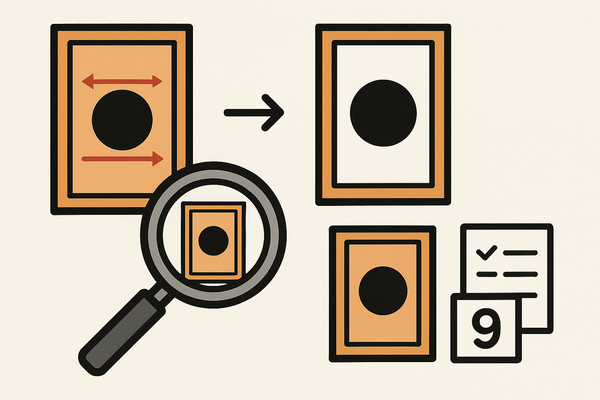
- Ratio Calculation – (Smaller border ÷ total borders) × 100 = percentage.
- Front vs. Back – The worst-aligned side limits overall centering.
- Grading Thresholds – PSA 10 typically requires 55/45 or better on each axis.
- Capped Grades – A 70/30 axis can cap a card below the top subgrade.
Best Practices and Tips
- High-Quality Images – Ensure cards are straight-on, well-lit, and reflection-free.
- Follow Tool Examples – Compare “good photo” vs. “bad photo” guidelines.
- Repeat Measurements – Take multiple shots to verify consistency.
- Combine AI & Manual Checks – Use auto-detect, then refine guides manually.
- Know Your Target – Tailor your process for PSA 10 vs. BGS 10 thresholds.
Troubleshooting
- Incorrect Readings → Reshoot from a better angle or distance.
- Missed Borders → Switch to a plainer background and adjust guides manually.
- Large Variance → Standardize your lighting and setup each time.
Workflow Integration
- Pre-Grading Checklist: clean card → inspect corners → run centering → compare thresholds.
- Buy-In Checks: scan new raw cards to choose grading candidates.
- Sales Listings: include centering ratios in descriptions for buyer confidence.
For beginner tips, see our Card Centering for Beginners.
Advanced Features and Customization
- AI-Powered Batch Scanning – Measure multiple cards in one session for high throughput.
- Custom Grading Profiles – Save thresholds for PSA, BGS, TAG and view only relevant cutoffs.
- In-Tool Standards Reference – Access official centering rules for each grading service.
- Detection Tuning – Adjust sensitivity for dark, foil, or borderless cards.
Use advanced features when managing large volumes or mixed card types to simulate outcomes across multiple grading companies. For a comprehensive walkthrough of these advanced capabilities, check out our Comprehensive Card Centering Analyzer Tutorial: A Step-by-Step User Guide.
User Example / Case Study
Scenario: You have a raw modern Pokémon card and want to target a PSA 10 grade.
- Photo Setup – Remove sleeves; place the card on a matte black background under soft, diffuse lighting.
- Upload Front & Back – Front auto-detect shows initial centering; back reveals the worst axis.
- Refine Guides – Drag overlays to true borders; finalize ratios (e.g., Front 55/45, 60/40; Back 50/50, 55/45).
- Interpret Grades – PSA criteria met for 10; BGS profile caps at 9.5.
- Decision – Submit to PSA and note “centered for PSA 10, BGS 9.5” in your records.
This case illustrates how objective data drives grading decisions and optimizes ROI. For a detailed, step-by-step user guide on preparing your cards for grading, see our Card Centering Analyzer Tutorial: Mastering Precise Card Centering Analysis. For a step-by-step user guide for grading-ready cards, check out our Card Centering Analyzer Tutorial: Step-by-Step User Guide for Grading-Ready Cards. If you want a step-by-step user guide for perfect card centering, see our Card Centering Analyzer Tutorial: Step-by-Step User Guide for Perfect Card Centering.
Conclusion
You’ve learned to:
- Install or access your chosen centering tool.
- Capture and upload high-quality card images.
- Interpret centering ratios and grade projections.
- Apply best practices, troubleshoot issues, and leverage advanced features.
Implementing this workflow delivers precise, repeatable measurements and maximizes your grading success.
Next Steps: Try the analyzer on your cards, compare results with your eye, and share feedback to refine the community workflow. If you want a step-by-step guide to accurate grading prep, visit our Card Centering Analyzer Tutorial or explore the Card Centering Analyzer Tutorial: Step-by-Step Guide to Accurate Grading for more details. For a step-by-step user guide for perfect grading, check out our Card Centering Analyzer Tutorial: Step-by-Step Guide for Perfect Grading.
Additional Resources
Further Reading & Guides:
- PSA Centering Guide: App Store Listing
- BGS Centering Guide: App Store Listing
- Video Tutorial: Card Centering Basics on YouTube
Downloadables:
- Printable Centering Ratio Quick Guide.
- Photo Setup Checklist.
- Grading Requirements Summary.
FAQ
- Why do front and back centering differ?
Different artwork and wear can shift border alignment on each side. - Can I trust AI detection without manual refinement?
AI is fast and accurate for most cards, but manual guides ensure precision in borderline cases. - How do foils and borderless cards affect accuracy?
Reflective or missing borders may require tuning sensitivity and manual guide adjustments.